

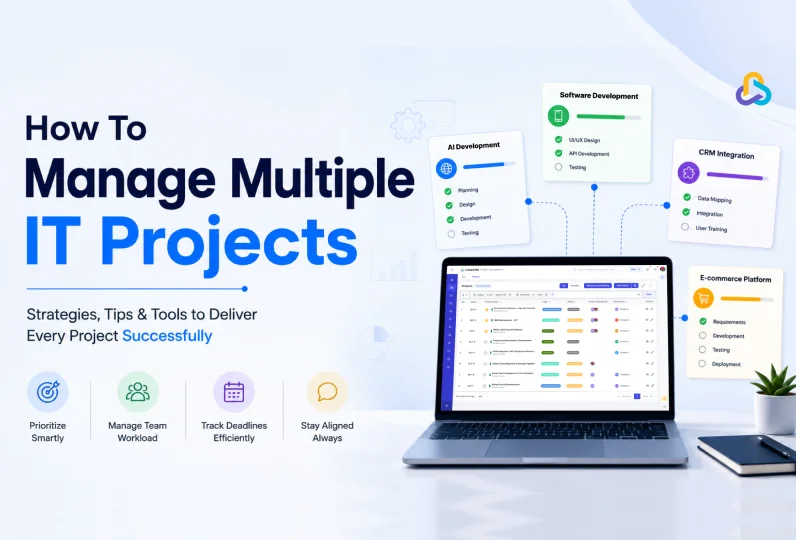
Most professionals today are not managing one project at a time. They are handling several at once, each with its own deadlines, stakeholders, and team members. Without a clear system, managing multiple projects quickly leads to missed deadlines, overloaded teams, and frustrated clients.
The problem is not the number of projects. It is the absence of a structured approach to planning, communication, and prioritization. When teams rely on spreadsheets, email threads, and disconnected tools to manage multiple projects, visibility suffers and delivery becomes unpredictable.
This guide covers six practical tips to help you manage multiple projects without losing control. You will also find guidance on choosing the right tools to manage multiple projects, common mistakes to avoid, and how to evaluate whether your current system is working.
Key Takeaways:
- Managing multiple projects at one time requires a clear system, not just more effort
- Start with a master project list that gives you full visibility across all active projects
- Prioritize projects based on business value and urgency, not by who asks the loudest
- Assign one accountable owner to every project to avoid shared responsibility gaps
- Build a shared project schedule with milestones and buffer time to catch delays early
- Map your team’s capacity before assigning tasks to prevent overload and burnout
- Centralize all project communication and documentation in one platform
- The right software removes the manual effort of keeping multiple projects organized
- Re-prioritizing when circumstances change is responsible project management, not failure
Why Managing Multiple Projects Is Difficult
Managing multiple projects is not simply about doing more work. A 2024 survey of 570 project managers by Elizabeth Harrin found that only 26% of project managers thrive when juggling multiple projects, while nearly 1 in 5 feel overwhelmed, and 55% say they are just getting by.
The root cause is rarely workload alone. It is the absence of a clear system for planning, communication, and project prioritization. Without one, even experienced project managers run into the same recurring problems.
1. Competing Deadlines and Shared Resources
When IT businesses run multiple projects at the same time, deadlines are often hit and resources are often shared.
Therefore, a delay in one project does not stay contained. It puts pressure on the same engineers, account managers, or designers who are also responsible for deliverables in other active projects.
The problem multiplies when there is no shared view of which resource is occupied where. Without visibility into team capacity and task ownership across projects, bottlenecks find way quietly.
A team member who is already overloaded gets assigned more work, and no one realizes it until a deadline is missed.
2. Context Switching Reduces Productivity
One of the most significant hidden costs of managing multiple projects is the constant shift in attention between them. Research from the University of California, Irvine, shows that after an interruption, employees require an average of 23 minutes and 15 seconds to fully refocus on their original work. Across the day, these delays cause slowdown and delays.
Research from the American Psychological Association shows that chronic multitasking and frequent context switching can consume up to 40% of a person’s productive time, meaning a worker who spends eight hours at their desk may only produce the equivalent of 4.8 hours of focused output. For teams already stretched across several initiatives, this lost capacity directly affects delivery quality and timelines.
Project prioritization helps address this. When teams know which project takes precedence at any given time, they make fewer unnecessary switches and spend more time in focused, productive work.
3. Stakeholder Communication Gets Complicated
Each project has different clients, sponsors, or internal stakeholders, each with different expectations about timelines, progress updates, and deliverables.
At times when a project manager is handling multiple projects at once, communication across all of them becomes difficult to maintain consistently.
Without a structured communication plan, stakeholders reach out to ask for status, project managers spend time on clarifications instead of execution, and small misunderstandings grow into larger misalignments.
The result is not just lost time. It is lost trust, which is harder to recover than a missed deadline.
Tips to Manage Multiple IT Projects at Once
Managing multiple projects at the same time is difficult for any IT company.
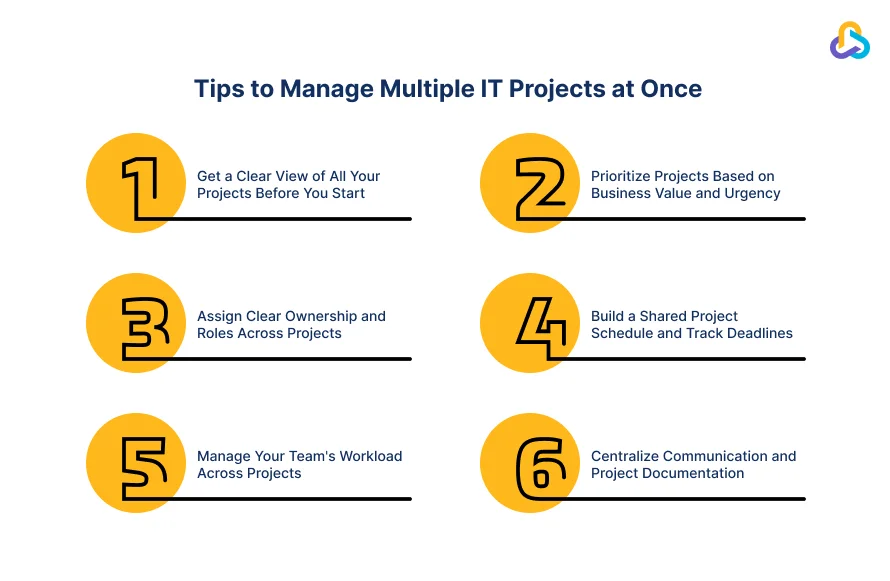
We are sharing some best way to manage multiple projects so that instead of reeling under pressure, your teams can prioratize and communicate better.
Tip 1: Get a Clear View of All Your Projects Before You Start
Start by creating a master project list that contains every active project, its status, the person responsible for it, and its deadline. This is the foundation of any solid project planning for teams. When everything is visible in one place, priorities become clearer and nothing gets forgotten.
Next, define the scope and goal of each project clearly. Vague goals cause teams to make assumptions, work expands beyond what was agreed, and timelines slip. A single written objective shared with everyone involved removes that ambiguity from the start.
The final step is to map dependencies between your projects. Some projects share the same team members, budgets, or deliverables. When that is the case, a delay in one project does spreads to others as well.
Identifying these connections early allows you to build your schedule around them rather than discover conflicts when it is too late to adjust.
Tip 2: Prioritize Projects Based on Business Value and Urgency
Project prioritization is the process of deciding which projects deserve your team’s time and focus first, based on real business value rather than whoever is asking the loudest.
Two frameworks make this easier:
- The Eisenhower Matrix sorts of projects by urgency and importance, helping you separate work that needs immediate action from work that matters but can be scheduled.
- The MoSCoW method goes a step further, categorizing initiatives as Must Have, Should Have, Could Have, or Won’t Have.
Both approaches give your team a shared language for making prioritization decisions without relying on gut feeling or internal politics.
Once you have a framework, align your priorities with actual business goals. Projects tied to revenue, client retention, or strategic growth should rank above everything else.
This sounds obvious, but many teams fall into the trap of treating a loud internal request with the same urgency as a client-facing deadline. Keeping business impact at the centre of every prioritization decision prevents that.
Priorities also change over time, and that is expected. A weekly or bi-weekly review of your project list keeps the team aligned as circumstances shift. Clients change requirements, budgets get revised, and new work comes in. Re-prioritizing when that happens is a sign of of responsible project management.
Tip 3: Assign Clear Ownership and Roles Across Projects
Assigning a single project lead to each initiative fixes the problem ownership. The project lead, instead of handling task themselves, makes sure that nothing falls through the gaps, deadlines are being met, and the right people are informed when something changes.
Defining roles within each project is equally important, especially in IT companies where engineers, account managers, and delivery teams regularly work across the same projects. Without clear boundaries, tasks get duplicated, others get missed, and team members spend time figuring out who is supposed to do what.
A simple RACI matrix resolves this. RACI stands for Responsible, Accountable, Consulted, and Informed. Mapping each role against each task tells every team member exactly where they fit, without leaving room for assumption.
Communicate the defined roles in writing. A short brief sent to each team member summarizing their responsibilities across all projects is an effective method for multi-project management.
It reduces the need for constant check-in meetings because everyone already knows what they own. It also creates a reference point when priorities shift or new work comes in, so the team can adjust without confusion.
Tip 4: Build a Shared Project Schedule and Track Deadlines
One of the best ways to manage multiple projects is to make all deadlines visible in one place. For instance, a Gantt chart or calendar view across all active projects shows you exactly where deadlines cluster, where your team has capacity, and where conflicts are forming before they become problems.
Most modern project management tools offer this as a standard feature, and it is one of the first things worth setting up.
Final deadlines alone are not enough. Break each project into milestones with their own due dates. Milestones give you early warning signals. If a mid-project milestone is slipping, you have time to adjust resources or timelines before the final delivery date is affected.
Build buffer time into every phase of your project schedule. Unexpected tasks, team absences, and client feedbacks are commonly expected. They happen on almost every project. Adding buffer time per phase absorbs these disruptions without the need for a full timeline revision every time something shifts.
Finally, track progress with a brief weekly status update for each project. This gives stakeholders the visibility they need without requiring long status meetings. Many tools to manage multiple projects can automate this reporting, which saves considerable time when you are managing several projects at once.
Tip 5: Manage Your Team’s Workload Across Projects
The best way to manage multiple projects is not just about organizing tasks and timelines. It is about knowing whether your team actually has the capacity to deliver them. Before committing to any project schedule, map out how many hours each team member has available per week across all active projects.
Overloading key people is the single most common cause of delivery delays in multi-project environments, and it is almost always avoidable with basic workload planning.
Effective team management means distributing work across the team rather than concentrating it on your most capable people. When critical tasks from multiple projects land on the same person in the same week, quality drops and deadlines slip.
A workload view in your project management software makes over-allocation visible before it becomes a problem. If one team member is carrying too much while another has spare capacity, you can rebalance assignments before work begins.
Workload management does not require complex systems. It requires the habit of checking capacity before making commitments, and the discipline to act on what you find.
Tip 6: Centralize Communication and Project Documentation
When updates live in email, decisions get made over chat, and files are spread across shared drives, teams waste significant time searching for information that should be instantly accessible.
Centralizing all project updates, files, and decisions in a single platform solves this. It also removes version conflicts and ensures everyone is working from the same information.
Standardize how your team reports progress across projects. A simple weekly update template that every project owner follows makes it easy to compare the status of multiple projects immediately. Without a consistent format, updates vary in detail and frequency, and gaps in communication go unnoticed until they become problems.
A shared team dashboard ties everything together. Many CRM and project management platforms now include a built-in dashboard that shows the status of all active projects in one view.
For IT companies managing multiple client accounts, this also functions as a client communication portal, giving stakeholders a clear and current view of project progress without requiring separate status calls or email threads.
Common Mistakes When Managing Multiple Projects
Even experienced project managers fall into patterns that make multi-project management harder than it needs to be.
Here are four mistakes worth avoiding.
1. Taking On Too Many Projects at Once
More active projects do not equal more output. When teams are spread across too many initiatives simultaneously, quality drops across all of them. Before committing to a new project, check whether your team has the capacity to deliver it without compromising existing work.
2. Not Communicating Changes to Stakeholders
When a project shifts in scope, timeline, or priority, stakeholders need to know immediately. Waiting until the next scheduled update creates misaligned expectations and erodes trust. A brief, timely message when something changes is always better than a surprise later.
3. Using Separate Tools for Every Project
When each project lives in a different spreadsheet, email thread, or platform, nothing can be compared or tracked at scale. Consolidating your projects into one tool gives you the visibility you need to manage them effectively.
4. Treating All Projects as Equally Urgent
Not every project carries the same business value or deadline pressure. Treating them all the same leads to poor use of your team’s time and attention. Priority should always reflect business impact.
How To Know If Your Multi-Project Management System Is Working
Having a system for managing multiple projects is one thing. Knowing whether it is working is another. These are the signs that your approach is on track.
- Your team consistently meets project milestones without last-minute escalations
- Stakeholders and clients receive proactive updates rather than having to ask for them
- Team members report a manageable workload and know exactly what they own across every active project
- You can see the status of all your projects in under two minutes, without opening multiple tools or chasing people for updates
- Delays are caught early and handled with a plan rather than a crisis response
If any of these are missing, the gap is usually a process problem or a tooling problem. The best project management software for multiple projects brings both together, giving teams a single place to plan work, track progress, manage workload, and communicate with stakeholders.
The right software to manage multiple projects does not just organize information. It gives you the visibility to act before problems escalate. The best way to manage multiple projects long term is to build your system around a tool that scales with your team and your workload.
How Can CollabCRM Help in Managing Multiple IT Projects?
For IT companies managing several client projects at once, scattered tools and poor visibility are the biggest obstacles to on-time delivery. CollabCRM is built specifically to solve this.
As software to manage multiple projects, CollabCRM brings project tracking, resource allocation, timesheets, and client billing into a single platform. Project managers get a centralized project management dashboard showing the real-time status of every active project, team workload, and availability, without switching between tools.
What makes it the best project management software for multiple projects is how it connects delivery with operations. You can convert won deals directly into projects, allocate resources based on live availability data, track milestones and task progress through Kanban boards, and generate invoices from logged timesheets, all from one place.
CollabCRM scales whether you are managing 5 projects or 500, making it a practical long-term system for growing IT teams.
FAQ
Most project managers can successfully oversee 2–5 projects at once, depending on project complexity, team capacity, and available tools. Strong processes, clear priorities, and effective project management systems can increase that number without compromising quality or delivery.
The best way to manage multiple projects is to start with full visibility across all active work, prioritize by business value, assign clear ownership for each project, and track progress through a shared schedule. Using a single platform to centralize tasks, communication, and deadlines removes the coordination overhead that slows most teams down.
The best software depends on your team type. For IT companies managing client projects and internal operations together, a platform like CollabCRM that combines project tracking, resource management, and client billing in one place works best. For general teams, tools like Asana, Monday.com, or ClickUp offer strong multi-project visibility.







 Priority Onboarding