CollabCRM

Simplify Workflows with the 
All-in-One ClickUp Alternative

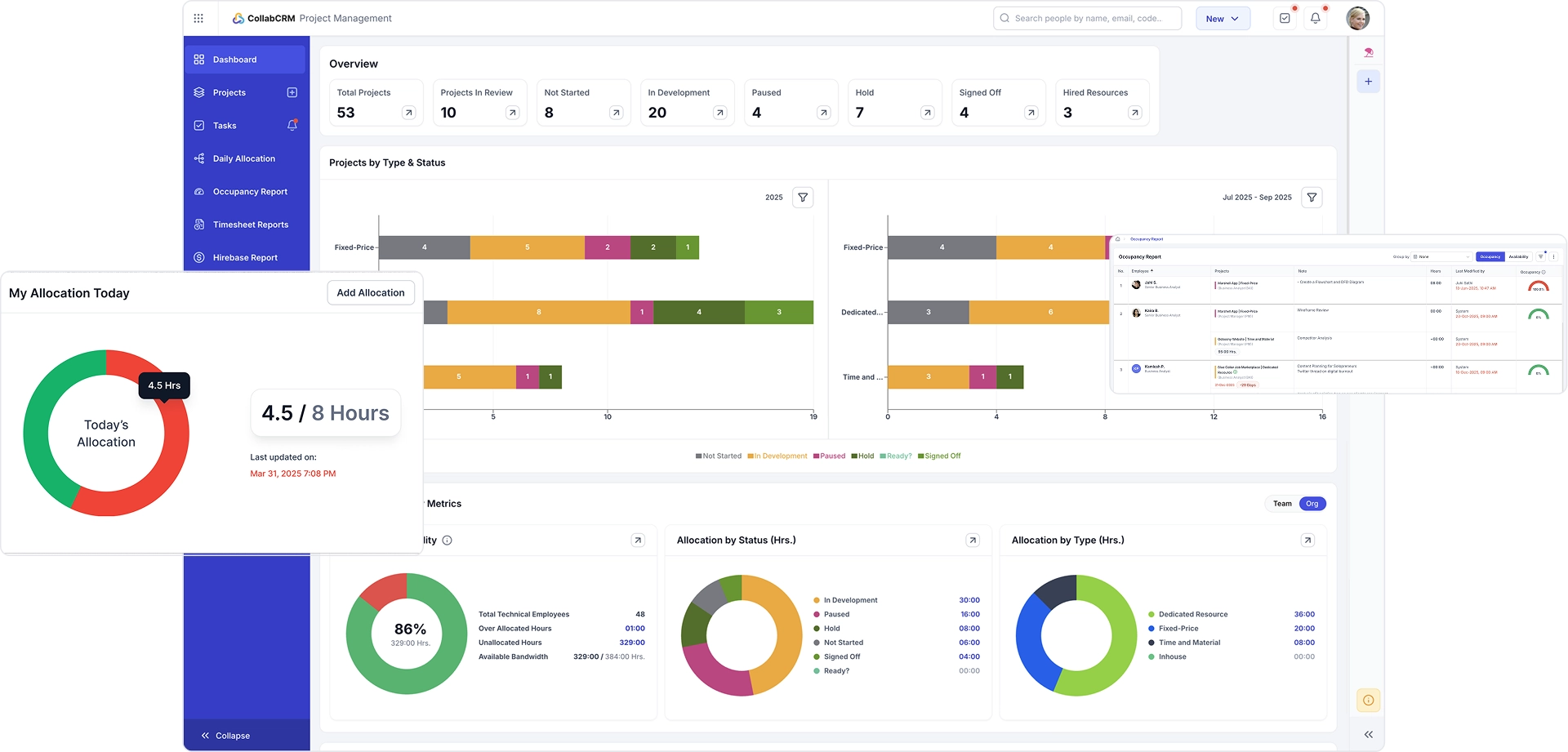
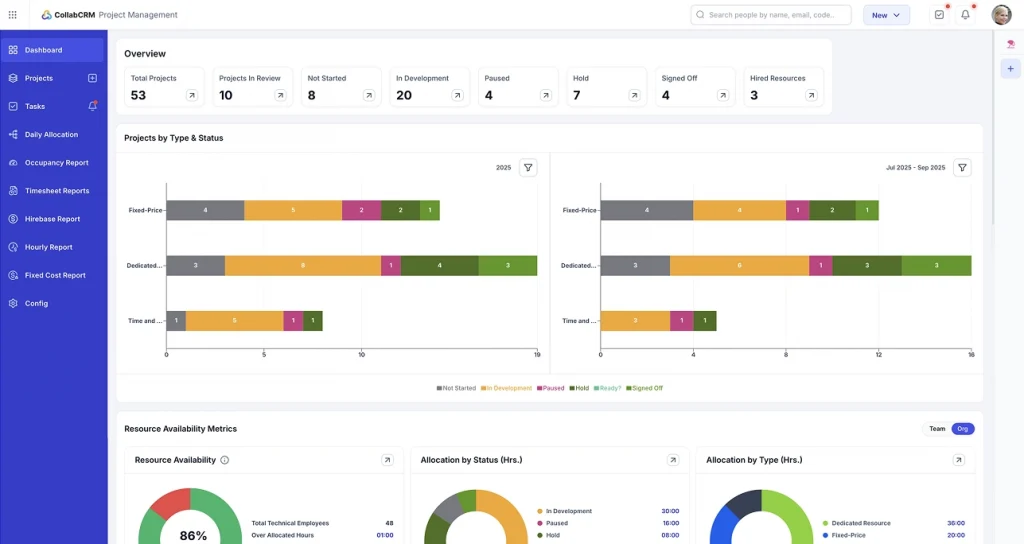
ClickUp tries to do it all but ends up doing too much. CollabCRM is the superior ClickUp alternative, meticulously designed for IT workflows. It focuses on where ClickUp fails: scaling IT operations without chaos.

No Credit Card Details Needed 14 Days Free Trial
Simplify Workflows with the 
All-in-One ClickUp Alternative

Trusted By Those Who Believe In Changing The World

Designoweb
300 Mind
Jiyosoft
Ocean Shark
Spiral Technolabs

Why It’s Time To Ditch ClickUp

ClickUp markets itself as the master of all trades but ends up as a jack of none. While it tries to fit as the all-in-one answer, it ends up bringing complexities, slowdowns, and hidden trade-offs. Here is a closer look at the real problem people face with ClickUp.
laggy-performance

Laggy Performance

Users frequently face slow loading, freezing, and lag issues in large ClickUp workspaces, making it frustrating to manage projects smoothly.

feature-overload

Feature Overload

ClickUp’s everything-app approach often backfires, leaving teams overwhelmed with too many tools and views that clutter instead of bringing clarity.

learning

Steep Learning Curve

New users struggle with its complicated interface, requiring heavy onboarding and constant retraining to use even basic features effectively.

alert-triangle

Reliability Concerns

Frequent bugs, sync problems, and inconsistent mobile performance reduce trust in the platform’s stability for critical business workflows.

The ClickUp Alternative That Works Smarter

You don’t need something that complicates your workflow just because it promises everything. You need a better ClickUp alternative that understands what you need and delivers it flawlessly, just like CollabCRM.
Smooth Performance

Smooth Performance

Unlike ClickUp, CollabCRM delivers fast loading times and smooth navigation, keeping teams productive without frustrating delays.
Streamlined Workflows

Focused Feature Set

CollabCRM offers only the tools IT teams need, avoiding ClickUp’s overwhelming feature clutter and letting users focus on what truly matters.
Easy Onboarding

Easy Onboarding

CollabCRM’s intuitive interface gets teams up and running quickly, eliminating the long training period and confusion common in ClickUp.
Reliable & Stable

Reliable & Stable

It ensures consistent performance across web and mobile with fewer bugs and sync issues than ClickUp.
Transparent & Predictable Pricing

Transparent Pricing

Clear, predictable pricing eliminates surprise or sudden billing changes, unlike ClickUp, where seat rules and plans change at any time.
Flexible User Management

Flexible User Management

Teams scale seamlessly with flexible roles and access controls, avoiding the plan-based restrictions seen in ClickUp.
collabcrm logo

One Click And You Are Free From ClickUp

CollabCRM vs. ClickUp: A Feature-by-Feature Comparison

Explore the feature-by-feature comparison to understand why CollabCRM delivers what ClickUp cannot.

Feature
clickup logo
Unified Platform
All-in-One Platform (Single Login)
tick mark
cross mark
Automated Cross-Module Workflows
tick mark
cross mark
HR & People
Employee Database
tick mark
cross mark
Org Chart
tick mark
cross mark
Employee Document Management
tick mark
cross mark
Attendance Tracking
tick mark
limited mark
Leave & WFH Management
tick mark
cross mark
Biometric Attendance Sync
tick mark
cross mark
IT Asset Management
tick mark
cross mark
Employee Skill Matrix
tick mark
cross mark
Offboarding & Exit Workflow
tick mark
cross mark
Employee Self-Service Portal
tick mark
cross mark
Employee Recognition & Rewards
tick mark
cross mark
Meeting Room Booking
tick mark
cross mark
Holiday Calendar
tick mark
limited mark
Manager Self-Service
tick mark
cross mark
Recruitment
Job Posting & Requisitions
tick mark
cross mark
Applicant Tracking (ATS)
tick mark
cross mark
Interview Scheduling
tick mark
cross mark
Payroll
Payroll Processing & Payslips
tick mark
cross mark
Salary Structure Management
tick mark
cross mark
Tax Declarations & Compliance
tick mark
cross mark
Expense Reimbursement
tick mark
cross mark
Loans & Salary Advances
tick mark
cross mark
Project Management
Task & Project Management
tick mark
tick mark
Resource Planning
tick mark
limited mark
Team Utilization Reports
tick mark
limited mark
Billable Timesheets
tick mark
tick mark
Dedicated Team Contracts
tick mark
cross mark
Client Portal
tick mark
limited mark
CRM & Sales
Lead & Deal Pipeline
tick mark
limited mark
Sales Target Tracking
tick mark
cross mark
Client Meeting Tracking
tick mark
cross mark
Invoicing & Payments
tick mark
cross mark
Unified Activity Timeline
tick mark
cross mark
Reporting & Admin
Cross-Module Reporting
tick mark
limited mark
Open API & Integrations
tick mark
tick mark
Workflow Automation Scheduler
tick mark
tick mark
Guided Data Migration
tick mark
limited mark
Role-Based Access Control
tick mark
tick mark

Here Is What You Are Losing With ClickUp

If ClickUp is still your choice, then here is what you are leaving on the table by ignoring the best ClickUp alternative: CollabCRM.
Benefits
clickup logo
Unified Platform
Lower Software Costs
One system of record for the whole company no data silos, no per-module subscriptions or logins to reconcile.
tick mark
cross mark
Zero Double Data Entry
A closed deal becomes a project automatically, project time becomes an invoice, and attendance becomes a payroll run without re-keying data between systems.
tick mark
cross mark
HR & People
Single Source of HR Truth
A single, always-current source of truth for every employee's profile and employment history no spreadsheets or bolted-on HR add-on.
tick mark
cross mark
Instant Team Visibility
Anyone can see reporting lines and team structure instantly, generated automatically from live employee data not a static chart someone has to update by hand.
tick mark
cross mark
Audit-Ready HR Records
Store ID proofs, offer letters and policy acknowledgements against each employee's own record one place for HR and the employee to find them, with no re-uploading to a generic file drive.
tick mark
cross mark
Accurate Work Hours
Every clock-in, late arrival and shift exception rolls straight into payroll no separate time-clock app.
tick mark
limited mark
Faster Time-Off Approvals
Employees request leave or WFH, managers approve in one click, and balances update automatically no separate PTO app or spreadsheet tracker.
tick mark
cross mark
Error-Free Payroll Inputs
Physical attendance devices sync directly into payroll no manual entry or middleware project.
tick mark
cross mark
Zero Equipment Loss
Track laptops, ID cards and equipment against each employee automatically, tied to onboarding and exit.
tick mark
cross mark
Smarter Staffing Decisions
See who has which skills at a glance for staffing and appraisal decisions, without a separate tool or spreadsheet.
tick mark
cross mark
Secure Employee Exits
A formal offboarding checklist asset return, access revocation, knowledge transfer and final settlement tracked in the system, not over email.
tick mark
cross mark
Less HR Admin Work
Employees update their own details and request role or salary changes through an approval workflow HR isn't a bottleneck for routine changes.
tick mark
cross mark
Higher Employee Retention
Recognize achievements and milestones with digital badges on an employee's profile built-in motivation without a separate recognition-platform subscription.
tick mark
cross mark
Conflict-Free Scheduling
Book meeting rooms and shared spaces from the same app employees already use for leave and attendance no separate facilities-booking tool.
tick mark
cross mark
Predictable Team Availability
A regional holiday list and company events calendar built into the same system that manages leave, so time-off requests are automatically checked against holidays.
tick mark
limited mark
Faster Team Approvals
Managers get a dedicated view of their direct reports profiles, attendance, leave balances and 1:1 history without HR pulling reports for them.
tick mark
cross mark
Recruitment
Faster Hiring Pipeline
Post openings, route approvals, and publish to job boards from inside the same system candidates flow into.
tick mark
cross mark
Lower Cost Per Hire
Candidates move through a real hiring pipeline with resume parsing and stage tracking not a generic task board relabeled for hiring.
tick mark
cross mark
Shorter Time to Hire
Schedule interviews, sync them to calendars, and collect structured interviewer feedback in one place no separate scheduling tool or feedback spreadsheet.
tick mark
cross mark
Payroll
On-Time Salary Payouts
Run payroll from the same data as attendance and leave fewer reconciliation errors, no separate payroll vendor.
tick mark
cross mark
Consistent Pay Bands
Define pay grades, salary structures and compensation changes natively, tied to the same employee record used everywhere else.
tick mark
cross mark
Reduced Compliance Risk
Employees self-serve tax planning and download tax documents inside the same portal they already use daily.
tick mark
cross mark
Controlled Spending
Employees submit expenses, managers approve, and reimbursements post without a separate expense-app subscription.
tick mark
cross mark
Financial Employee Support
Employee loan requests, approvals and salary deductions are tracked natively, not off-system.
tick mark
cross mark
Project Management
Balanced Team Workload
See real-time staff utilization across every project, tied directly to HR headcount not a guess from timesheets or a separate paid module.
tick mark
limited mark
Higher Billable Utilization
One report shows who's overloaded and who has spare capacity across every active project a staffing decision, not a spreadsheet exercise.
tick mark
limited mark
Predictable Retainer Revenue
Track dedicated or outsourced team members against specific client contracts and billing terms a purpose-built report for staffing and outsourcing businesses, not a generic filter.
tick mark
cross mark
Stronger Client Trust
Clients communicate on the same project record your team is already updating no separate email thread to track.
tick mark
limited mark
CRM & Sales
Higher Win Rates
Sales pipeline sits next to project delivery and invoicing, so a closed deal can flow straight into a project and an invoice.
tick mark
limited mark
Reliable Revenue Forecasts
Set and track sales targets against the same pipeline your reps work in every day no separate goal-tracking spreadsheet.
tick mark
cross mark
Shorter Sales Cycles
Every client call or meeting is logged against the deal automatically, so the whole team has full context without digging through email or calendars.
tick mark
cross mark
Faster Cash Collection
Send invoices and record payments without connecting a separate accounting tool deals, projects and billing stay linked.
tick mark
cross mark
Complete Customer Context
See every email, call, meeting, note and invoice against a client in one chronological timeline the full relationship history, without switching tools.
tick mark
cross mark
Reporting & Admin
One Business Dashboard
A single report catalogue covers the whole business, because the underlying data already lives in one system.
tick mark
limited mark
Risk-Free Switching
Move historical data in from spreadsheets or other systems with a guided wizard not a raw CSV upload with dozens of columns to map by hand.
tick mark
limited mark
Business Outcomes
Single Vendor Accountability
One contract, one support desk and one roadmap for HR, projects, CRM and finance no vendor finger-pointing when something breaks mid-process.
tick mark
cross mark
Lower Total Cost of Ownership
One subscription replaces separate HR, payroll, project, CRM and invoicing licences plus the integration fees needed to hold them together.
tick mark
cross mark
Live Project Profitability
Salary cost from payroll and billed revenue from invoicing meet on the same project record, so margin is visible while the work is still running.
tick mark
cross mark
Zero Integration Maintenance
Nothing to re-map or repair when a third-party vendor changes its API modules share one database instead of syncing across tools.
tick mark
cross mark
Faster Team Onboarding
New joiners learn one interface and one permission model instead of five disconnected tools, cutting ramp-up time and training cost.
tick mark
cross mark
Unified Data Security
Employee, client and financial data sits behind a single access model and audit trail rather than being copied across multiple vendors.
tick mark
cross mark
collabcrm logo

Want to End The Comparison On A Positive Note

You’ve seen the features; now check the pricing to experience why CollabCRM is a better ClickUp alternative

Want to End The Comparison On A Positive Note

Real Leaders. Real Results. No Fluff

These words don’t just inspire us. They shape everything we build and believe in.

Awards & Recognition

CollabCRM is recognized as a top performer in customer relationship innovation — trusted by leading industry evaluators in 2025.

gra
badge colored verified
best-feature-set
best-support-2025
category-leader-winter-2025
easy-usability-2025
market-leader-2025

FAQs​

When looking for a better ClickUp alternative, we have seen businesses exploring CollabCRM. Here are a few of the common questions that we hear from them, answered by our experts.

How does CollabCRM’s IT-focused design deliver more value than ClickUp for enterprise operations?

CollabCRM is built specifically for IT workflows, asset management, and IT-centric reporting. ClickUp is a generic platform that often forces IT teams to adapt their processes instead of supporting them.

What cost efficiencies can we achieve by switching from ClickUp to CollabCRM?

CollabCRM provides all modules in a single inclusive pricing model, eliminating hidden costs. ClickUp’s tiered pricing often restricts access to features, leading to additional subscriptions or add-ons.

Does CollabCRM reduce onboarding time compared to ClickUp for large IT teams?

Yes. CollabCRM’s intuitive interface and IT-specific templates enable teams to get productive in days, whereas ClickUp’s complex UI slows adoption and increases training overhead.

How does CollabCRM prevent revenue leakage that ClickUp might miss in IT workflows?

CollabCRM tracks resources, project progress, and asset utilization in real time, closing gaps where revenue can be lost. ClickUp lacks such IT-focused monitoring and alerts.

Can CollabCRM provide real-time insights into resource allocation better than ClickUp?

Yes. CollabCRM gives live dashboards on team availability, project assignments, and skill utilization, while ClickUp offers limited or delayed resource insights.

How flexible is CollabCRM in handling technical vs non-technical employee tasks compared to ClickUp?

CollabCRM allows role-based task allocation, ensuring technical and non-technical resources are assigned appropriately. ClickUp treats all users similarly, reducing efficiency in specialized IT teams.

What advantages does CollabCRM offer in employee lifecycle management that ClickUp cannot match?

CollabCRM manages employees from hire to exit, including recruitment, onboarding, performance tracking, and exit processes. ClickUp does not provide a full lifecycle management solution.

How does CollabCRM’s transparent pricing model compare with ClickUp’s plan-based restrictions?

CollabCRM includes all essential IT modules under one price, avoiding hidden costs. ClickUp restricts features by plan tiers, which can force companies to pay more for necessary functionality.

Are there measurable productivity gains with CollabCRM over ClickUp in IT project execution?

Yes. CollabCRM’s focused on IT dashboards, workflow automation, and skill-based task assignment to reduce delays and errors, improving project throughput compared to ClickUp’s generic setup.

How does CollabCRM ensure scalability and IT-specific workflow automation better than ClickUp for growing enterprises?

CollabCRM scales effortlessly with enterprise IT needs, automating complex processes while maintaining role-based access and IT-centric analytics. ClickUp’s scalability is broader but less tailored for IT-specific growth.