
In the summer of 2017, Jason Fried, the CEO of Basecamp, told CNBC something that surprised a lot of business leaders. His team, a project management software company based in Chicago, worked just 32 hours a week from May through September.
No mandatory meetings. No pressure to stay late. And yet the company kept shipping software and kept its customers happy.
Fried’s explanation was simple. People get plenty done in 32 or 40 hours once you cut out everything that eats up their time. Basecamp also organizes work into six-to-eight-week cycles, each followed by a two-week cooldown where teams fix small issues and plan what comes next, rather than sprinting straight into the next project.
The story is a useful reminder for anyone managing a team today. Productivity rarely comes down to how many hours people log at their desks. It comes down to how work is structured, how clearly goals are set, and how well people are supported along the way.
Basecamp’s shorter summer hours worked because the company had already solved the harder problems first, like clear priorities, low meeting overhead, and a culture where people trusted each other to get the job done.
That is the real lesson for project managers, product managers, scrum masters, and delivery leads today. Cutting hours or adding another tool will not fix a productivity problem on its own. Understanding what drives productivity, and addressing those root causes, is the first step toward building a team that performs well without burning out.
What is Employee Productivity?
Employee productivity is a measure of how much value a person or team produces relative to the time and resources they use. It is not simply about how busy someone looks or how many hours they spend logged into a laptop.
For instance, a developer who ships clean, working code in six hours is more productive than one who spends ten hours switching between tasks and fixing avoidable mistakes.
For teams, productivity also includes how well people collaborate, how quickly they solve problems, and how reliably they meet deadlines without constant rework.
For project managers, this distinction matters because it changes what you measure. Tracking hours logged tells you very little about whether a project is on track. Tracking completed milestones, rework rates, and how smoothly handoffs happen between team members tells you a lot more about the true health of a team.
Factors Affecting Employee Productivity
Productivity is shaped by many moving parts, and most of them are within a manager’s control.
Here are the factors that impact employee’s productivity the most:
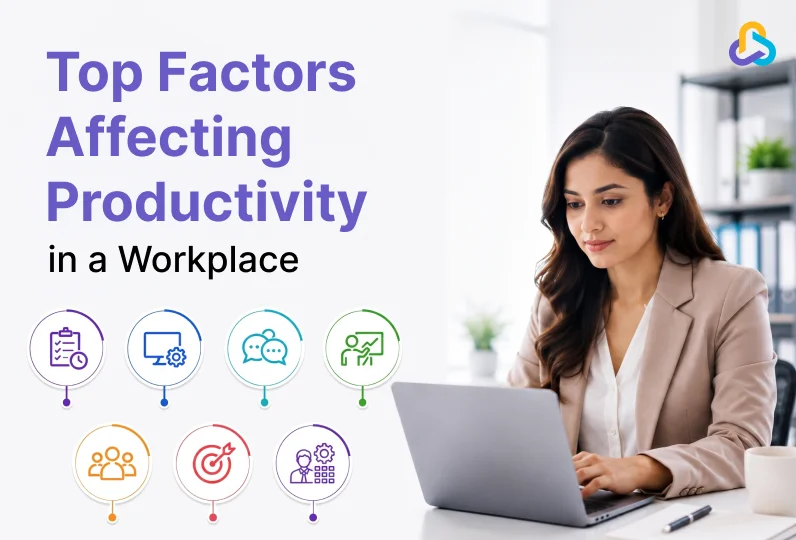
1. Work Management
How work is planned, assigned, and tracked has a direct effect on output. When tasks are unclear or priorities shift without warning, people waste time figuring out what to do instead of doing it.
A well-managed project breaks large goals into smaller tasks with clear owners, so nobody is left wondering who is responsible for what. Clear task ownership, realistic timelines, and visible progress tracking help teams stay focused on what matters, instead of reacting to whatever feels most urgent now.
2. Tools and Technology
Outdated or scattered tools slow people down and make task management ineffective. A team juggling five different apps for tasks, messages, and files loses time just moving information between them, and important details often get lost along the way.
The right technology stack brings everything into one place, reduces manual work, and gives managers a clear view of where things stand without having to chase updates from every team member individually.
3. Communication Quality
Miscommunication is one of the most common productivity killers. When updates get lost in long email threads or important context lives only in someone’s head, work gets duplicated or delayed. This is especially true for distributed teams working across time zones, where a single unclear message can cost an entire day.
Grammarly’s 2025 report on business communication, The Productivity Shift, found that poor communication costs businesses an estimated $9,284 per worker every year. The same report notes that almost 60% of leaders and 54% of workers struggle just to keep up with notifications spread across multiple platforms, which shows how much of the problem comes from fragmented channels rather than any single mistake.
Teams that communicate clearly, with the right information reaching the right people at the right time, move faster and make fewer mistakes.
4. Training and Skills
A team can only work as fast as its weakest skill gap allows. When employees are not properly trained on the tools or processes, they use every day, small tasks take longer than they should and simple errors become common.
Google Cloud saw this play out clearly in its own research. A 2025 study the company commissioned with Ipsos surveyed more than 3,000 cloud practitioners and business leaders and found that about 70% of leaders believe certified, properly trained employees are more productive.
The same study reported that trained teams brought new hires up to speed faster and finished projects with far more confidence, simply because people were not learning the tools on the fly while trying to deliver real work.
Ongoing training keeps skills current and gives people the confidence to work independently, which frees up managers to focus on bigger priorities instead of answering the same basic questions repeatedly.
5. Leadership and Culture
Leadership style shapes how people show up to work. Managers who set clear expectations, provide constructive feedback, and trust their teams tend to create an environment where employees can perform at their best.
Research by Harvard Business School professor Amy Edmondson on psychological safety shows that employees are more likely to speak up, share concerns, and learn from mistakes when they feel safe within their teams.
A culture built on trust and respect also reduces turnover, which protects productivity in the long run since new hires always take time to reach full speed. Teams that feel supported by their leaders are also more likely to raise problems early, before small issues turn into missed deadlines.
6. Goals and Expectations
Teams that understand exactly what success looks like tend to perform better than teams left guessing. Vague goals like “improve performance” give employees little direction or an unclear target to work towards.
On the other hand, specific measurable goals tied to real business outcomes give everyone a clear target and a way to track progress. In addition, a goal management software can help teams define objectives, monitor progress, and keep individual efforts aligned with broader business priorities.
When expectations are documented and revisited regularly, there is far less room for confusion about priorities.
7. Resource Planning and Management
While skill, motivation and environment play an important role, poor resource planning can still spoil the game.
Overloading a few people while others sit idle can burnout a few employees and waste capacity of others. Good resource planning matches workload to capacity, so projects move at a sustainable pace and deadlines stay realistic.
This becomes even more important as teams grow, since informal planning that works for five people rarely holds up once a company scale to fifty or more.
This is usually the point where teams move away from spreadsheets and start relying on dedicated resource planning software to get a clear, real-time view of who is available and who is stretched too thin.
How Can Workforce Management Tool Help Project Managers?
Most of the factors above share a common thread. They all depend on visibility. A project manager cannot fix a communication gap they cannot see or rebalance a workload they are not tracking.
This is where a workforce management tool becomes valuable. Instead of bringing together updates from scattered sources such as chats and spreadsheets, a workforce management tool helps managers view of who is working on what, how much capacity each person has left, and where bottlenecks are forming.
That visibility makes it possible to catch problems early, redistribute work before someone burns out, and keep every project moving without constant status meetings pulling people away from actual work.
Benefits of Workflow Management Software fir IT Project Managers to Manage Productivity
- Shows real team capacity: Helps project managers understand how much productive time is available after accounting for leave, support work, meetings, and other project commitments.
- Reduces overloading and context switching: Makes it easier to identify people working across too many projects and rebalance their workload.
- Matches skills to the right work: Helps assign tasks to resources with the appropriate technical skills, reducing delays, rework, and unnecessary dependency on specialists.
- Identifies productivity risks early: Highlights blockers, unplanned work, resource shortages, client dependencies, and UAT rework before they significantly affect delivery.
- Supports faster corrective action: Enables managers to reallocate work, adjust sprint plans, or add resources when workforce conditions change.

Key CollabCRM Features for Managing Employee Productivity
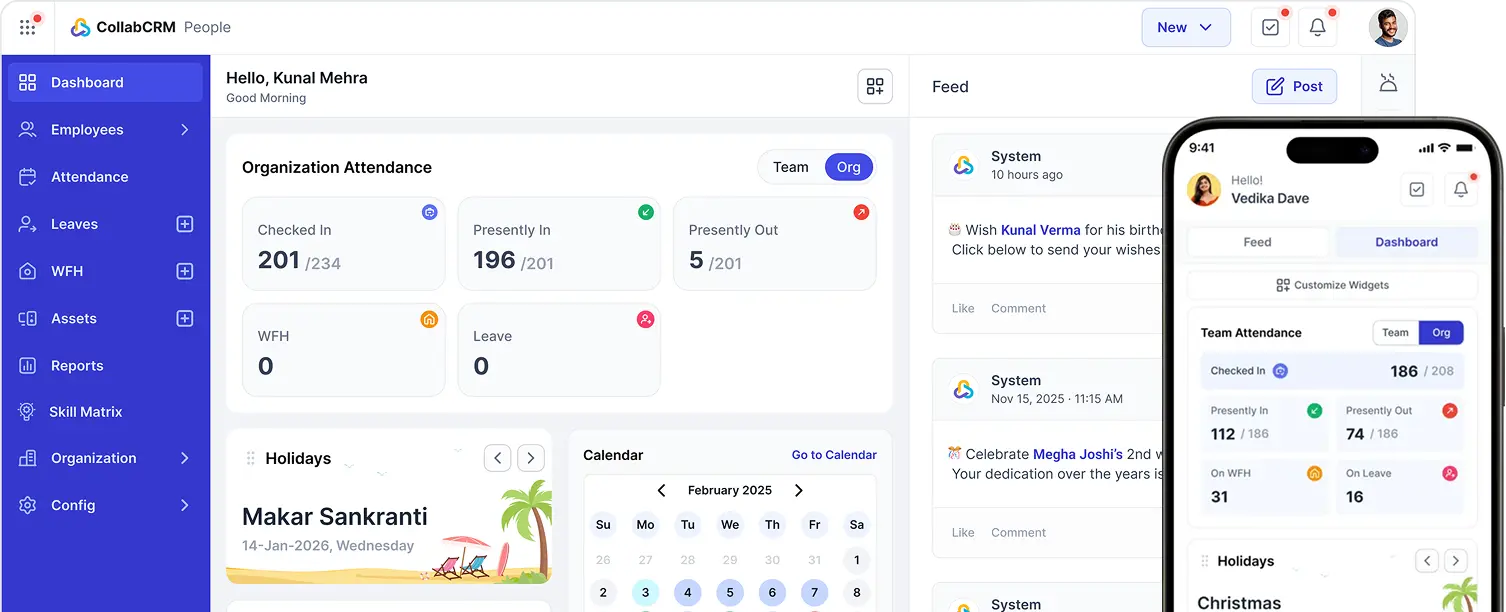
CollabCRM is a Business Operating System for HR, Payroll, CRM, Sales, Recruitment and Project management. It brings people, process and payments all in one place.
Instead of juggling between multiple applications and spreadsheets, it helps by giving seamless access to people, recruitment, projects, sales, and administration. All under a centralized dashboard.
It helps project managers keep a close track of team performance and productivity in real-time.
A few features stand out for teams focused on productivity.
- Task and workflow tracking gives managers a live view of every task, its owner, and its status, so nothing falls through the cracks.
- Resource allocation tools show who is overloaded and who has room for more work, making it easier to balance capacity across the team.
- Centralized communication keeps project discussions, files, and updates in one place instead of scattered across emails and chat apps.
- Reporting and analytics turn raw activity data into clear insights on where time is going and where delays tend to happen.
- Goal and milestone tracking keeps everyone aligned on what needs to happen and by when, reducing the back and forth that comes from unclear expectations.
Conclusion
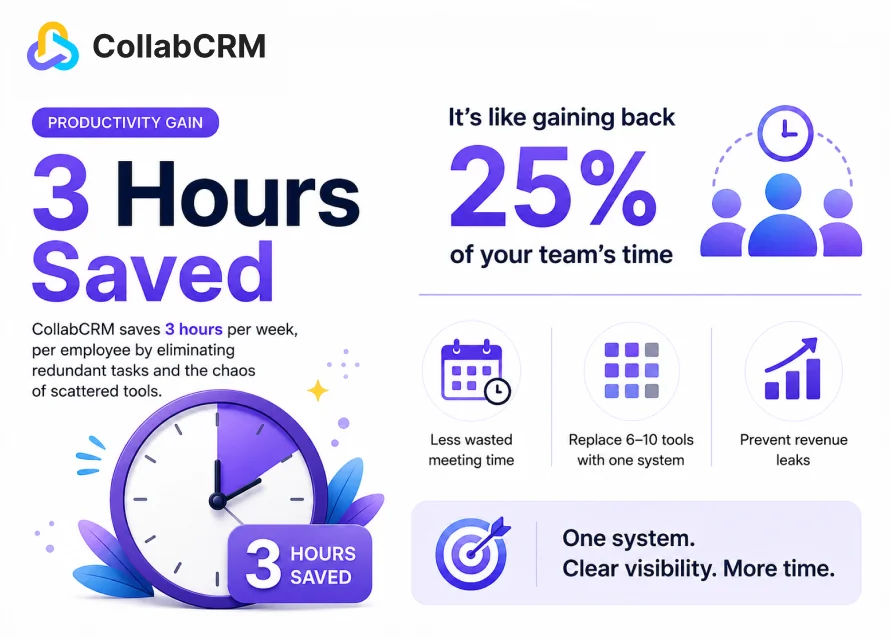
Productivity in the workplace was never about squeezing more hours out of people. It comes down to giving teams the clarity and support they need to do focused work and giving managers the visibility to spot problems before they turn into missed deadlines.
For project managers and delivery leads juggling multiple priorities, that same visibility is often the missing piece.
A system like CollabCRM can make it part of the everyday workflow, showing exactly how work is moving, where capacity is stretched, and where a small course correction today can save a missed deadline next week, rather than becoming one more task added to an already long to do list.





 Priority Onboarding