

Software adoption is one of the most common, and costly, problems IT teams face. Companies invest in the right tool, train their teams, and still end up with employees who barely log in or quietly switch back to spreadsheets and email within weeks.
A new project management platform might check every box on paper, yet a month after launch, half the team still tracks tasks the old way.
Selecting the right software is the easy part. Getting your team to use it, consistently and correctly, is where most rollouts fall apart.
If you are searching for how to improve software adoption, you are not alone, and the good news is that this is a solvable problem.
In this guide, we break down 7 practical strategies to boost adoption, the common challenges that quietly derail rollouts, and how to measure whether your team is truly using the tool or just logging in.
Key Takeaways:
- Software adoption is an ongoing process, not a one-time event that ends once a tool is installed.
- Most adoption failures come from unclear communication, weak leadership buy-in, or rushed training, not the software itself.
- Starting with a small pilot group and rolling out in phases helps catch problems before they affect the whole team.
- Internal POC’s and consistent leadership build trust and make adoption feel less forced.
- Measuring adoption with the right metrics, not just login counts, shows whether your team is truly using the tool.
- Choosing a platform that fits your existing workflow, makes every other strategy easier to apply.
What Is Software Adoption and Why It Often Fails
Software adoption is the process of integrating a new software application or system in your organization.
It does not stop at installation or sending out login details. It ensures that your team understands the tool, sees its value, and uses it as part of their daily work.
For example, say your company adopts a new project management tool. The design, development and project management team needs to use it to manage and keep work on track.
For the tool to be truly adopted, all three teams need to use it consistently, not just during the first week of rollout, and not just for the parts of the workflow that feel easy.
However, software adoption is not simple. There are several challenges that create a roadblock in the process.
Common Software Adoption Challenges
Here are the reasons why software adoption often fails:
| Challenge | Reason | Example |
| Resistance to change | People are comfortable with their current tools and habits, even if those habits are inefficient | The design team keeps sharing files over email instead of uploading them to the new tool |
| Lack of leadership buy-in | If leaders do not use the tool themselves, the team sees it as optional | A manager asks for status updates in a meeting instead of checking the tool directly |
| Poor or rushed training | Onboarding is treated as a single event instead of an ongoing process | The team gets one demo call, then is left to explore the tool on their own |
| High training cost | Traditional training takes time away from billable or project work, and the cost grows with every new hire | A company delays training new hires because it cannot spare senior staff to run repeat sessions |
| Complexity of the tool | A tool with too many features or an unfamiliar interface feels overwhelming before people see any value from it | New users abandon a feature-heavy dashboard because they cannot find the one action they need |
| Tool does not match the team’s workflow | The software is used exactly as it comes, without adjusting it to fit how the team works | The development team builds a workaround in spreadsheets because the tool’s task stages do not match their sprint process |
| No clear owner for the rollout | Responsibility is shared across people instead of assigned to one person | Questions about the tool go unanswered because no one feels directly responsible for solving them |
| Treating adoption as a one-time launch | There is no follow-up after the first week of rollout | Usage is high in week one, then drops by month two with no one tracking it |
What Low Adoption Costs You?
Research shows 40% of technology spend underperform because of user adoption challenges. This quietly turns a well-thought investment into wasted budget.
- Wasted Budget: If the licenses go unused while teams keep relying on old tools and manual workarounds.
- Lost Productivity: The teams spend extra hours on tasks the new tool was meant to simplify.
- Lower Team Morale: It causes confusion and repeated training sessions frustrate employees and slow down daily work.
- Delayed Business Outcomes: Reporting, planning, and decision-making all stay slower than the tool promised.
- Repeated Spending: IT companies often invest in fixes, retraining, or replacement tools instead of solving root causes.
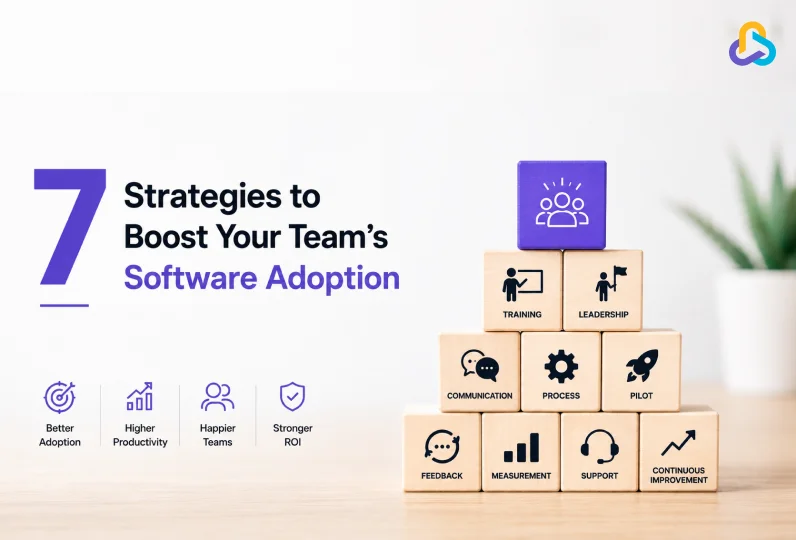
7 Strategies to Boost Your Team’s Software Adoption
These seven strategies are designed to help you manage a range of software adoption challenges, from resistance to change to unclear ownership.
1. Explain the Why Before the What
If employees do not understand why a tool is being introduced, they assume it is extra work for no reason. This is the heart of why software adoption succeeds or fails early on. Before rolling out any tool, explain the problem it solves and how it connects to work people already care about.
Take a software development team that is asked to start using a new project tracking tool. If the rollout message is just “start using this from Monday,” developers will see it as one more system to update.
But if the message explains that the tool replaces three separate status update meetings a week with a single shared dashboard, developers immediately see what is in it for them. The same explanation, delivered before launch, can turn a sceptical engineering team into one that asks for the tool to be rolled out faster.
2. Start With a Small Pilot Group
Introducing new tools to all the teams at once amplifies every problem at scale. A small pilot group lets you identify confusion, fix workflow mismatches, and build proof before asking the whole organization to commit.
For instance, a mid-size IT services company introducing a new client communication portal might start with one account management pod instead of the entire client services team.
That pod uses the tool for a month, works out where the tool’s default fields do not match how they track client requests, and adjusts the setup before anyone else sees it.
By the time the rest of the company gets access, the rough edges are already gone, and the tool feels far less challenging to new users.
3. Get Leadership to Use the Tool
“People watch what you do, not what you say.”
Lack of participation from the leadership is one of the fastest ways to kill software adoption. If a manager asks the team to use a new tool but still requests updates over email or in meetings, the team gets an impression that using the tool is optional.
This is especially true in IT companies, where project managers and delivery heads set the tone for how the entire team works. When a project manager starts logging timelines, assigning tasks, and leaving comments directly inside the new tool, instead of tracking them separately, the team sees exactly how the tool fits into daily work.
And when a delivery head reviews sprint progress inside the platform itself instead of asking for a separate status report, the team has no choice but to keep their updates current in the same system.
That one habit, repeated daily by leadership, does more for adoption than any company-wide rollout email ever could.
4. Appoint Internal Point of Contact
In the beginning, people can have questions and may face challenges while using the tool. This is where a point of contact can provide ready support to the teams hence reducing friction in the adoption phase.
A common example in IT teams is appointing one senior developer per pod as the go-to person for the new tool, not because they are the most technical, but because the rest of the team already trusts their judgment.
When a junior developer gets stuck figuring out how to link a bug report to a sprint task, they ask their POC instead of giving up and tracking it in a notebook instead.
5. Make Training Part of the Rollout
Tool training should be a gradual and continuous especially when the tool is complex. If training is conducted only once during onboarding, employees retain very little, and the tool feels harder to use than it is.
Therefore, spreading training across the first few weeks, with short, role-specific sessions, fixes both the cost and the complexity problem at once.
For example, instead of running one long session covering every feature of a new tool, a smarter approach is running three short sessions. One for developers on logging work and tracking bugs, one for designers on sharing files and feedback, and one for project managers on reporting and timelines.
Each team learns only what is relevant to them, training time drops, and the tool feels far less overwhelming on day one.
6. Roll Out in Phases with Clear Owners
Tool-workflow mismatch and unclear ownership often show up together. Rolling out everything at once leaves no room to catch where the tool does not fit, and no one specifically responsible for fixing it.
For instance, in an IT project team which is switching its entire delivery process to a new platform department by department, starting with the QA team, then development, then design, with one named owner responsible for each phase.
When the QA team’s rollout reveals that the platform’s default bug-tracking fields do not match their existing severity levels, that owner adjusts the setup before development’s rollout begins. By the time the last team is onboarded, most of the friction has already been resolved.
7. Collect Feedback and Keep Training Going
Treating adoption as a one-time launch is one of the most common reasons usages quietly drops a few months in. Software adoption process can’t stop once the rollout is done. Ongoing feedback and refresher training keep the tool relevant as people, features, and workflows change.
Consider an IT team that rolled out a new collaboration tool six months ago. Two new developers joined since then, and the platform pushed three feature updates. Without a quick refresher session and a simple way to ask questions, those new hires fall back on whatever their teammates informally show them, which usually skips half the tool’s useful features.
A short monthly check-in, even ten minutes in a team meeting, keeps the entire team using the tool the way it was meant to be used.
How Do You Measure Success in Software Adoption
Measuring software adoption tells you if your team software adoption progress is moving in the right direction or if usage is quietly dropping.
Here are five ways that you can follow to measure your success in software adoption:
1. Activation vs. Adoption
Activation is the first login or first action inside a tool. It is the first step after which the users utilize the tool.
However, activation is different than adoption. For instance, all employees may complete the activation process at the time of onboarding, a tool will only have good adoption when same number of people use it regularly to log in bugs, provide project updates, track progress, etc.
So, while tracking success in software adoption, make sure that you not only pay attention to activation numbers, rather lay more emphasis over consistent adoption rate.
2. Set Clear, Measurable Goals Before You Launch
Before you start measuring success, you need to know what it looks like. The objectives should be specific, measurable, achievable, relevant and time-bound (SMART):
- Specific: Name the exact behaviour you want, not a general outcome.
“Every project manager logs daily task updates inside the new tool.” - Measurable: Attach a number you can track.
“80% of the development team logs bugs inside the tool, not in spreadsheets.” - Achievable: Set a target realistic for your team’s size and current habits.
“60% of account managers log client calls inside the CRM within the first month,” not 100% in week one. - Relevant: Tie the goal to a problem the team already feels.
“Reduce status update meetings from three a week to one, once the team logs updates inside the tool.” - Time-bound: Give the goal a clear deadline.
“Reach 70% active daily use across the QA team within 60 days of launch.”
3. Track the Right Numbers
You can track the following metrics that can give a comprehensive picture of real adoption, not just sign-ups:
- Active users compared to total licensed users
- Features being used versus features paid for
- Frequency of use, daily or weekly, not just monthly logins
- Support tickets or repeated questions about the same feature
- Manager and leadership participation inside the tool
Tracking these metrics will provide you with a clear view of where adoption is happening properly and where it is breaking. This will help you to step in time and support adoption through addressing issues, motivating the teams, and conducting more trainings, before disengagement becomes a habit.
4. Gather Feedback and Keep Improving
Numbers alone do not explain why adoption is low. Short surveys or quick check-ins with each team uncover the real reasons behind the data, whether that is a confusing feature, a missing integration, or a workflow that does not match how the team works.
Measuring software adoption is not a one-time report. Reviewing these numbers regularly and adjusting training or workflows based on what you find, is what turns early adoption into a habit that sticks.
5. Monitor User Engagement
User engagement is another useful metric for measuring software adoption. Instead of just checking who logged in, look at what people do inside the tool, such as the number of tasks or items created, time spent active in the tool, and which features get used the most.
This gives you a clearer picture of how engaged your team really is and helps you spot exactly where adoption is falling short.
Software Adoption Across Global and Distributed IT Teams
Software adoption challenges often get more complex when your team is spread across time zones or office locations. This is very common for IT companies with distributed delivery teams.
| Challenge | Reason | Technical Impact |
| Inconsistent training across time zones | Live training sessions cannot reach every region at a convenient time | Teams configure features differently or skip setup steps, creating mismatched workflows across offices using the same tool |
| Delayed support and troubleshooting | Champions or admins in one time zone are offline when another region runs into issues | Unresolved issues pile up, leading to workarounds like duplicate task entries or manual tracking outside the tool |
| Uneven tool maturity across offices | Different offices adopt tools at different speeds based on local habits and prior exposure | Data becomes inconsistent across teams, making cross-office reporting and integrations unreliable |
| Communication and language gaps | Instructions, training material, or in-app guidance are not always clear to non-native English speakers | Features get set up incorrectly, such as wrong field mappings or permission levels, which can affect data accuracy later |
| Fragmented rollout ownership | Without one global owner, each regional office manages adoption differently | Custom fields, naming conventions, or integrations end up inconsistent across offices, complicating company-wide reporting |
| Cultural differences in feedback and adoption | Comfort with raising concerns or asking for help can vary by region or team culture | Low-usage patterns or broken workflows stay undetected longer, delaying fixes to integrations or automation rules |
A few practical fixes can help close these gaps.
- Record training sessions so every region can watch on their own schedule.
- Assign a POC in each major office instead of relying on one central person.
- Keep training material simple and visual so language is never a barrier.
Treating distributed teams as one rollout with multiple time zones, rather than several separate rollouts, keeps adoption consistent no matter how your team sits and helps you optimize project management.
Get CollabCRM for Seamless Adoption Across IT Teams
The strategies shared in this blog work best when the tool itself does not add friction. CollabCRM has been designed to support seamless software adoption amongst the IT teams.
Instead of forcing every department to switch at once, CollabCRM allows a phased rollout, starting with project managers or delivery teams, then expanding to sales, HR, or finance. This mirrors the rollout-in-phases approach covered earlier and reflects good change management for new software, since it gives teams time to adjust.
Because projects, resourcing, timesheets, and CRM live in one platform, teams can avoid tool sprawl and workflow mismatches that usually cause low adoption.
Managers also get the usage visibility needed to track adoption, exactly the kind of data covered in the measurement section above.

FAQs
Software adoption is the process of your team using a new tool regularly and correctly as part of their daily work, not just logging in once during the rollout week.
Most teams need around 60 to 90 days to reach consistent and regular use of a new tool. Though this can vary based on team size and how complex the software is.
Low adoption of new software application usually comes from unclear communication, weak leadership buy-in, rushed training, or a tool that does not match how the team works.
Common challenges include resistance to change, lack of leadership buy-in, rushed or poor training, tool complexity, high training costs, workflows that do not match the software, and no clear owner for the rollout. Most of these issues come from how the rollout is managed, not from the software itself.







 Priority Onboarding