

A project starts strong, the team is confident, the client is excited, and then somewhere along the way, things start slipping. Deadlines are missed. The scope changes. Communication breaks down. By the time anyone notices, the project is already in trouble.
This happens far more often than most people realize, and it rarely comes down to one big mistake. Most project failures are the result of small, avoidable issues that pile up over time, like a vague goal, a missed estimate, or a decision that sat unanswered for too long.
The good news is that these problems follow familiar patterns. Once you know what to look for, you can catch them early, before they turn into a missed deadline or an unhappy client.
In this guide, we will walk through 13 common reasons projects fail, using real examples from the IT industry. We will also cover practical ways to prevent them, including how the right project management software can give your team the visibility to spot issues before they grow into bigger problems.
Key Takeaways:
- Project failure is rarely caused by one big mistake. It usually builds up from several small, avoidable issues over time.
- Inaccurate estimates and rushed planning set projects up to fail before development even starts.
- Skills gaps, unclear goals, and poorly defined requirements lead to work that misses what the client needed.
- Scope creep and no clear decision maker slowly erode timelines and budgets.
- Resistance to change and weak stakeholder engagement often surface only after the project is already delayed.
- Poor communication and poor project management make small problems harder to catch until they become big ones.
- Skipping proper testing and misjudging real resource availability are common, costly mistakes late in the project.
- The right project management software gives teams the visibility to spot problems before they turn into missed deadlines.
What is Project Failure?
Project failure is not just missing a deadline. A project fails when it does not deliver an outcome the business can use, whether that means the wrong product got built, the budget ran out, or the deliverable arrived on time, but nobody adopted it.
In the IT industry, a project is considered failed when the software misses its launch date, goes over budget, fails to meet the agreed requirements, or ships with so many defects that users abandon it soon after release.
That is why a project can hit every milestone on the plan and still fail. If the plan itself was based on the wrong goal, the wrong scope, or the wrong assumptions, finishing on schedule does not make it a success.
This gap is more common than most teams admit. According to the Project Management Institute’s 2025 research, just over half of projects worldwide are viewed as successful by their own stakeholders, meaning nearly half fall short or deliver only partial value.
13 Common Causes of Project Failure
Projects rarely fail for one dramatic reason. Most of the time, it is a mix of small, avoidable missteps that quietly build up over weeks. Understanding why projects fail in IT industry helps teams catch these patterns early.
Here are the 13 most common causes seen across industries, teams, and project sizes:
Reason 1: Inaccurate Time and Resource Estimations
One of the most common reasons for project failure happens before any code is written. When a software company sets the budget and timeline without a proper analysis, the estimate is often inaccurate.
In IT projects, this usually looks like a sales team promising a client a mobile app in eight weeks, without checking whether the backend integrations, third party APIs, or security testing can realistically fit the timeframe. The developers then rush, cut corners, or push the deadline.
To fix this, teams need to study past projects of similar size, involve developers in the estimate before it is promised to a client, and build in buffer time for the unknowns that always show up mid-project, like a delayed API key or an unexpected data migration issue.
Tracking these estimates and milestones using goal management software also helps, since it gives the whole team one place to compare what was planned against what is happening, instead of relying on memory or a spreadsheet nobody updates.
Reason 2: Inadequate Planning
A software project without a clear plan is like writing code without a specification. Everyone works, but nobody is sure they are building the same thing.
Poor planning in IT projects usually shows up as missing milestones, unclear task ownership, or a sprint backlog that keeps changing shape because nobody agreed on scope upfront.
A common example is a web development team that starts building features before the client has approved the wireframes, only to redo half the work once feedback finally arrives.
Proper implementation of projects depends on a plan that covers objectives, milestones, dependencies, and who owns each decision, not just a rough timeline in a spreadsheet.
This plan should be built with input from developers, QA, and business analysts, not just the project manager working alone.
Planning also needs room to re-adjust. A plan that cannot absorb a change in requirements or a delayed vendor response will break the first-time reality does not match the document.
Reason 3: Lack of Skilled Team Members
Even the best plan fails if the people executing it do not have the right skills. This is one of the most overlooked project failure causes in the IT industry, where technology changes faster than most teams can train for it.
A real-world example is a company assigning a project built on a newer framework, like a recent version of React or a cloud native architecture, to a team that has only worked with older, monolithic systems. The learning curve alone can delay delivery by weeks.
This gap is widespread. A 2024 survey by Robert Half found that 65% of technology leaders reported a skills gap within their own departments (Robert Half, 2024).
Therefore, before assigning a project, leaders should map the skills the work needs against what the team already has, then close the gap through training, mentorship, or bringing in one specialist rather than assuming the team will figure it out mid project.
Skills Needed for IT Services Projects, by Task Type
| Task or Project Type | Core Skills Needed |
| Frontend web development | React, Vue or Angular, JavaScript/TypeScript, responsive design, accessibility standards |
| Backend web development | Node.js, Python, Java or .NET, REST and GraphQL API design, authentication and security practices |
| Mobile app development | Swift and Kotlin for native apps, React Native or Flutter for cross platform, mobile UI guidelines, app store deployment |
| Cloud native architecture | AWS, Azure or GCP, containerization with Docker, orchestration with Kubernetes, microservices design |
| DevOps and CI/CD | Pipeline tools like Jenkins or GitHub Actions, infrastructure as code, monitoring and logging, release automation |
| Database and data modeling | SQL and NoSQL databases, schema design, query optimization, data migration planning |
| UI/UX design | Wireframing and prototyping tools like Figma, user research, information architecture, interaction design |
| Quality assurance and testing | Manual and automated testing, test case design, tools like Selenium or Cypress, security and performance testing |
| Cybersecurity implementation | Threat modelling, penetration testing basics, secure coding practices, compliance knowledge like GDPR or HIPAA |
| Data engineering and analytics | ETL pipeline design, data warehousing, tools like Apache Spark, dashboard and BI tool experience |
| AI and machine learning integration | Model training and evaluation, Python ML libraries, prompt engineering for LLM features, data labelling practices |
| Digital twin development | IoT sensor integration, 3D modelling and simulation tools, real time data synchronization, systems engineering |
| Game development with Unreal Engine | Blueprint and C++ scripting, 3D asset optimization, physics and animation systems, performance profiling |
| CRM or ERP implementation | Workflow configuration, third party integrations, data migration from legacy systems, user training and change management |
| Project and program management | Risk and dependency tracking, stakeholder communication, resource planning, familiarity with a good report management tool for visibility |
Reason 4: Poorly Defined Goals
When a project goal is unclear, like “improve the customer portal,” every team member fills in the blank differently. One developer optimizes for speed, another for new features, and a third assumes the goal is just a visual redesign.
This is a cause for project failure because it affects everything downstream, such as
- what gets prioritized?
- what gets cut?
- how success gets measured at the end?
In IT projects, this often surfaces late, when a client reviews the finished software and says it is technically done but not what they needed.
A useful fix is writing a short, specific definition of what finished product should look like, before development starts. For example, instead of “improve the portal,” the goal becomes “reduce average login time to under two seconds and add multi factor authentication by Q3.”
Clear goals also make it easier to say no to unrelated requests later, since everyone can check new ideas against the agreed definition of success.
Reason 5: Scope Creep
Scope creep rarely arrives as one big change. It shows up as small, reasonable sounding requests such as one more field on a form, one more integration, one more dashboard view, etc.
In software development, this often starts when a client asks for a quick addition mid sprint. The team says yes because it seems minor, but three months later, the project has doubled in size with the same deadline and budget from day one.
The real damage is not the extra work itself. It is that the original plan, timeline, and cost estimate no longer mean anything, which makes it much harder to judge whether the project is on track.
To fix this, every new request should state what it delays, replaces, or adds to the budget before anyone commits to building it. Keeping a simple centralized record of added and removed features also helps clients see the trade-offs clearly, rather than assuming extra features are free.
Reason 6: No Clear Decision Maker
When a project has many stakeholders but no single person who can decide, small choices turn into weeks long delays.
This is common in IT projects involving multiple departments, such as a new CRM rollout where sales, support, and IT all have opinions, but no one is authorized to approve the final workflow. Every disagreement gets escalated, but nobody escalates it to someone who can close it out.
Proper management of task ownership solves this early. One person, usually the project sponsor or a senior product owner, should be named as the final decision maker for scope, priority, and acceptance.
Everyone else can give input, but decisions should not require a group consensus every time.
Making this ownership visible, for example listing the decision owner directly on the project dashboard, keeps momentum going. When people know exactly who to ask, tasks move forward instead of waiting in a queue for a meeting.
Reason 7: Resistance to Change
Software projects often ask people to give up a familiar process for a new one, and that is where many projects slow down.
An example is rolling out a new project management tool or ERP system and finding that half the team keeps using spreadsheets and email out of habit, because nobody explained why the new system matters or trained them properly on it.
This is exactly where change management in projects becomes essential, not just an add on. Teams need clear communication about why the change is happening, hands on training before going live, and a way for employees to raise concerns without being ignored.
Resistance usually comes from fear of the unknown or worry about job security. Addressing those concerns directly and involving team members in testing the new process before full rollout, makes adoption far smoother than announcing the change and hoping people comply.
Reason 8: Lack of Stakeholder Management
When stakeholders are not included in key decision-making process the delivered software often does not match what they expected.
In IT projects, this often happens with client-side stakeholders who are consulted at launch and are not shown progress again until the final demo. By then, feedback that could have been affordable to apply in week two becomes an expensive rebuild in week twelve.
Strong stakeholder engagement means scheduling regular check ins throughout the project, not just at the start and the end. A simple example is a biweekly demo where the client sees working software and can flag concerns early, rather than a single big reveal months later.
Written summaries after each meeting also help, since they give stakeholders a clear record of decisions made and reduce the chance of “that is not what we agreed on” disputes later in the project.
Reason 9: Lapse in Communication
Regular standups and constant messaging does not guarantee project clarity and success. Teams can still suffer from poor communication, if none of it leads to clear decisions.
This happens often on distributed IT teams working across time zones, where a developer in one region flags a blocker, but the answer does not arrive until the next day, slowing the sprint. Multiply that across a few blockers a week, and the delay adds up fast.
The fix is not more meetings. You can put routine updates in writing (what shipped, what is blocked, what decision is needed, and by when) instead of saving them for the next standup. Save live meetings for the moments that need a discussion, like choosing between two options.
This matters most for distributed teams. A blocker written down at 6 PM in one time zone can be read and answered first thing in another, instead of waiting a full day for the next call.
Creating an client portal for communication also helps close this gap. Instead of updates scattered across emails, chat threads, and calls, a shared portal gives the client one place to see progress, raise questions, and get answers, so nothing important gets lost between time zones.
Reason 10: Poorly Defined Requirements
Requirements are the blueprint for the whole build. When they are vague or incomplete, every stage after them inherits the confusion.
A common IT example is a requirements document that says “the app should support user login” without specifying whether that means email and password, social login, single sign on, or all three. Developers build one version, the client expected another, and the resulting rework eats into the timeline.
Clear requirements should cover functional needs, edge cases, and what is explicitly out of scope, not just a general feature list. Involving developers and QA in the requirements review, not just business analysts, often catches gaps early, since technical teams tend to ask the specific questions that reveal missing details.
Investing extra time in this stage before development starts almost always costs less than fixing a misunderstood requirement after the software is already built.
Reason 11: Poor Project Management
A weak project manager can be ineffective, even with a skilled team and a reasonable budget. Objectives stay vague, nobody tracks blockers, and small issues pile up until they become a crisis.
In IT projects, this often shows up as a manager who relies on memory and scattered chat threads to track multiple tasks across three teams. Something inevitably falls through, usually a dependency that nobody flagged until it was already late.
Much of this comes down to understanding project management methodologies well enough to pick the right one for the job, whether that’s Agile for a fast-changing product, Waterfall for a fixed scope build, or a hybrid approach for something in between.
A manager applying the wrong methodology to a project often creates exactly this kind of drift, even with good intentions.
This is where a good report management tool becomes valuable, not as a replacement for good management, but as support for it. A single dashboard showing task status, owners, and deadlines makes it much easier to spot a stalled task before it delays the whole release.
Reason 12: Inadequate Testing and Poor-Quality Control
Skipping or rushing testing is one of the fastest ways to turn a working build into a failed launch.
A frequent example in software projects is a team that skips edge cases like a payment failing halfway through or a user entering unexpected characters in a form. The bugs surface after launch, often in front of real customers, which is far more costly than catching them earlier.
Good quality control means combining automated tests with manual testing, involving testers from the start of the project rather than only at the end, and simulating real user behaviour instead of just the ideal scenario.
Security testing deserves particular attention in IT projects, since a missed vulnerability can cause damage well beyond a bad user review. Building testing into every sprint, rather than treating it as a final step, catches problems while they are still cheap to fix.
Reason 13: Ineffective Resource Allocation
Plans often assume every team member is fully available, but people are split across support tickets, other projects, meetings, and time off.
This shows up clearly in IT teams where a senior developer is listed as dedicated to a new project but is still expected to handle production incidents for an older system. The project schedule assumes full focus that never actually exists, so the timeline slips even though nobody is technically behind on their tasks.
Fixing this starts with putting real numbers on availability during planning, not optimistic ones. If a developer only has 60% of their time free for the project, the schedule should reflect that instead of assuming 100%.
Reviewing allocation weekly, rather than only at kickoff, also helps catch overcommitment early, before it turns into missed deadlines that could have been avoided with a more honest resourcing plan from the start.
How to Catch These Problems Early: A Quick Self-Check
Reading about these 13 causes is useful but checking them against your own project is what helps. Before your next status meeting, run through this list and be honest about where the gaps are.
Ask yourself:
- Do we have a real estimate based on past projects, or a guess made to please the client?
- Was there a proper planning phase, or did work start before the plan was ready?
- Does the team have the actual skills this project needs, not just adjacent experience?
- Is the goal written down as a specific, measurable outcome?
- Has scope changed since the project started, and was that change tracked anywhere?
- Is there one person who can make a final call, or does every decision need a group meeting?
- Has the team been trained and prepared for any new process or tool, not just told to use it?
- Are stakeholders seeing progress regularly, or only at the start and the end?
- Are routine updates written down, or living only in people’s memory?
- Are requirements specific enough that two people would build the same thing?
- Is progress visible in one place, or scattered across chats and spreadsheets?
- Is testing happening throughout the project, or only at the very end?
- Is everyone’s real availability accounted for in the schedule?
These questions cover the core project success factors most teams overlook, and running through them takes less time than the problems they help you avoid.
How to Set your IT Projects Up for Success: 6 Tips
Knowing why projects fail is only half the work. The other half is building habits that catch these problems before they turn into missed deadlines or unhappy clients.
Here are six practical tips that address the most common causes covered above, based on proper task management strategies used across successful IT teams.
1. Estimate Timeline with the People Engaged
Involve developers and QA in the timeline before it goes to the client, not after. Their input catches unrealistic promises early, when they are still cheap to fix.
2. Define Goal Qunatitatively
Replace vague goals like “improve the app” with a specific, measurable target and a deadline, so everyone is building toward the same outcome.
3. Designate a Single Point of Contact
Give one person, usually the sponsor or product owner, the authority to approve scope and priority, so small choices do not sit in a queue waiting for a meeting.
4. Track Everything on One Centralized Platform
Use a single dashboard for tasks, owners, and deadlines instead of scattered chats and spreadsheets. This alone prevents most of the “how did we miss this” moments.
5. Review Scope and Workload Weekly
Catch scope creep and overbooked team members early, while a small adjustment is still possible, rather than at the end when it is too late to fix cheaply.
6. Conduct Testing Throughout the Project
Involve testers from the start so bugs surface while they are still easy and cheap to fix, not after the client is already using the software.
None of these tips require new tools or a bigger budget. They just require consistency, applied from the first week of the project through the last.
How can CollabCRM Help your Projects?
Most of the reasons for project failure covered above come down to one thing and that is not being able to see problems until it is too late. Scattered tools, missing updates, and unclear ownership all hide the warning signs.
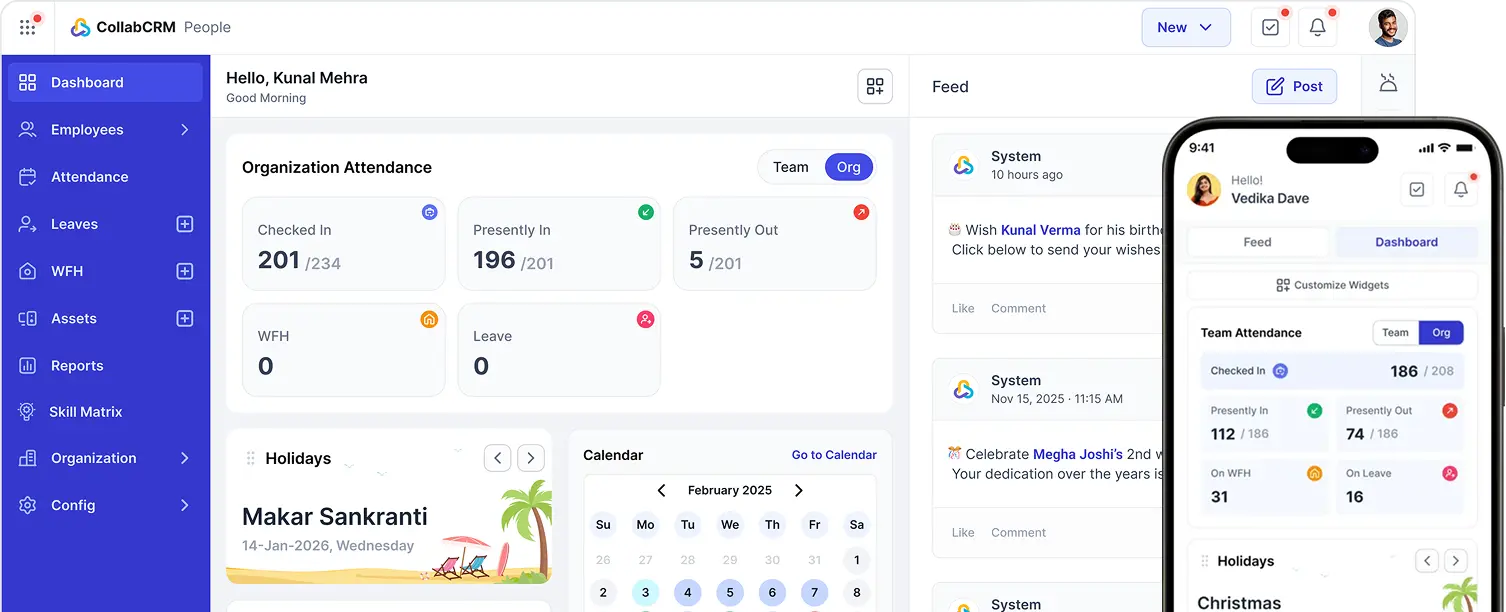
CollabCRM is a work management platform built for IT companies to bring projects, people, and resources into one place. As a project health monitoring software, it uses real time views of resource allocation, task status, and timesheets, instead of chasing updates across chats and spreadsheets to help manage projects.
Daily allocation tracking makes it easy to see who is free and who is overloaded, and missing timesheet reminders catch gaps before they turn into missed deadlines.
It also includes a client portal, so clients get visibility into progress without emailing for updates, which helps close the communication gaps that often lead to unhappy clients and rework.
None of this replaces good planning or clear goals. It simply gives teams the visibility to catch problems early, before they become the reasons a project fails.

FAQ’s
Unclear or poorly defined goals are one of the most common causes. When the team does not have a specific, measurable target from the start, work drifts in different directions and the result often misses what the client needed.
Yes. A project can hit every deadline and stay within budget and still fail if the outcome is not usable or adopted. Success depends on delivering real value, not just finishing on schedule.
What is the fastest way to spot a failing project early? Run a quick self-check against common causes like scope creep, unclear ownership, and missed communication. Tracking task status and deadlines in one place also makes stalled work visible before it delays the whole project.
Project failure is expensive in more than one way. Beyond the money lost on wasted time and resources, it can hurt team morale, make stakeholders lose trust, and push back other important work that was waiting on this project to finish.
According to PMI, more than 70% of projects either fail or experience significant challenges that hinder successful delivery.






 Priority Onboarding