
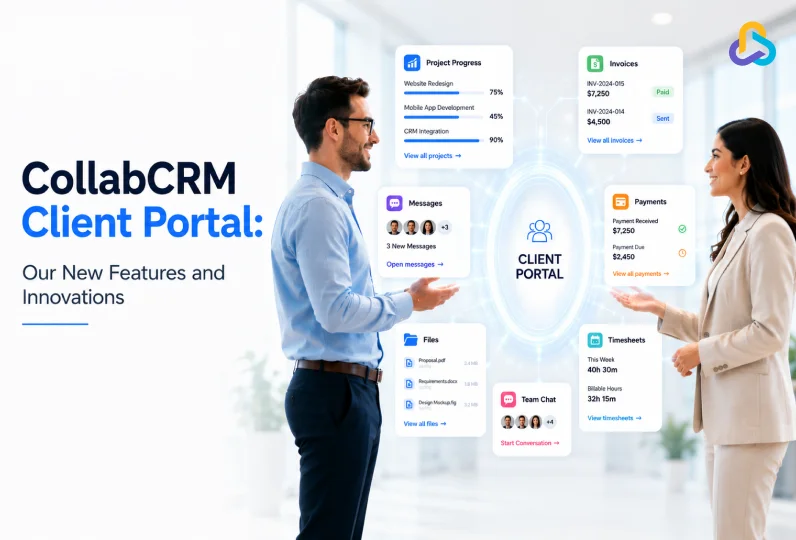
Client communication should not live in email threads. Or scattered chats. Or a shared drive nobody can find files in.
Yet that is how most IT companies still work with clients. Someone asks for a project update. Someone else digs through old emails to find an invoice. A simple question turns into a ten-minute search.
The CollabCRM Client Portal was built to fix this. It gives your clients one place to check project progress, view invoices, track payments, and talk to your team. No extra emails. No guesswork.
We have also added a few new things to make the portal easier to use day to day. This post walks through what the Client Portal offers, what is new, and why it matters for IT companies working closely with clients.
Key Takeaways
- The CollabCRM Client Portal gives clients a single, secure space to view project details, timesheets, invoices, and payments.
- Clients can communicate directly with your team through Message Board, Group Chat, or One-to-One Chat.
- Two new features just shipped: Custom Email Notification preferences and Desktop Push Notifications.
- The portal cuts down on repetitive status update requests and keeps client conversations organized.
- CollabCRM is not just a client portal. It is a full business operating system that also covers CRM, project management, invoicing, people management, and more.
What is a Client Portal?
A client portal is a secure online workspace where clients can access everything related to their projects without relying on emails or spreadsheets.
Within a project management platform, it gives clients real-time visibility into project progress, invoices, payments, timesheets, and conversations, creating a more transparent and collaborative experience for everyone involved.
Why IT Companies Need a Client Portal?
Software development projects involve constant communication, changing priorities, and ongoing collaboration. Without a centralized place for updates, teams spend valuable time answering repetitive questions, sharing documents, and searching through email threads.
A client portal simplifies this process by giving clients self-service access to project information, improving transparency, reducing manual follow-ups, and helping teams focus more on delivery than administration.
According to Salesforce, 88% of customers say the experience a company provides is as important as its products or services. Giving clients self-service access to project updates, invoices, and communication through a client portal helps businesses deliver that experience while reducing manual follow-ups.
Another survey by Gartner predicts that by 2027, most B2B customer interactions will happen through digital self-service channels.
What Clients Can Do Inside the CollabCRM Client Portal
Once a deal is marked won and a project is created, you can grant portal access to one or more client contacts. From there, clients get a clear window into their work with you.
| Email + Spreadsheets | Client Portal |
| Status updates via email | Live project dashboard |
| Files scattered | Central repository |
| Manual invoice sharing | Self-service invoices |
| Multiple tools | One portal |
| Delayed responses | Real-time communication |
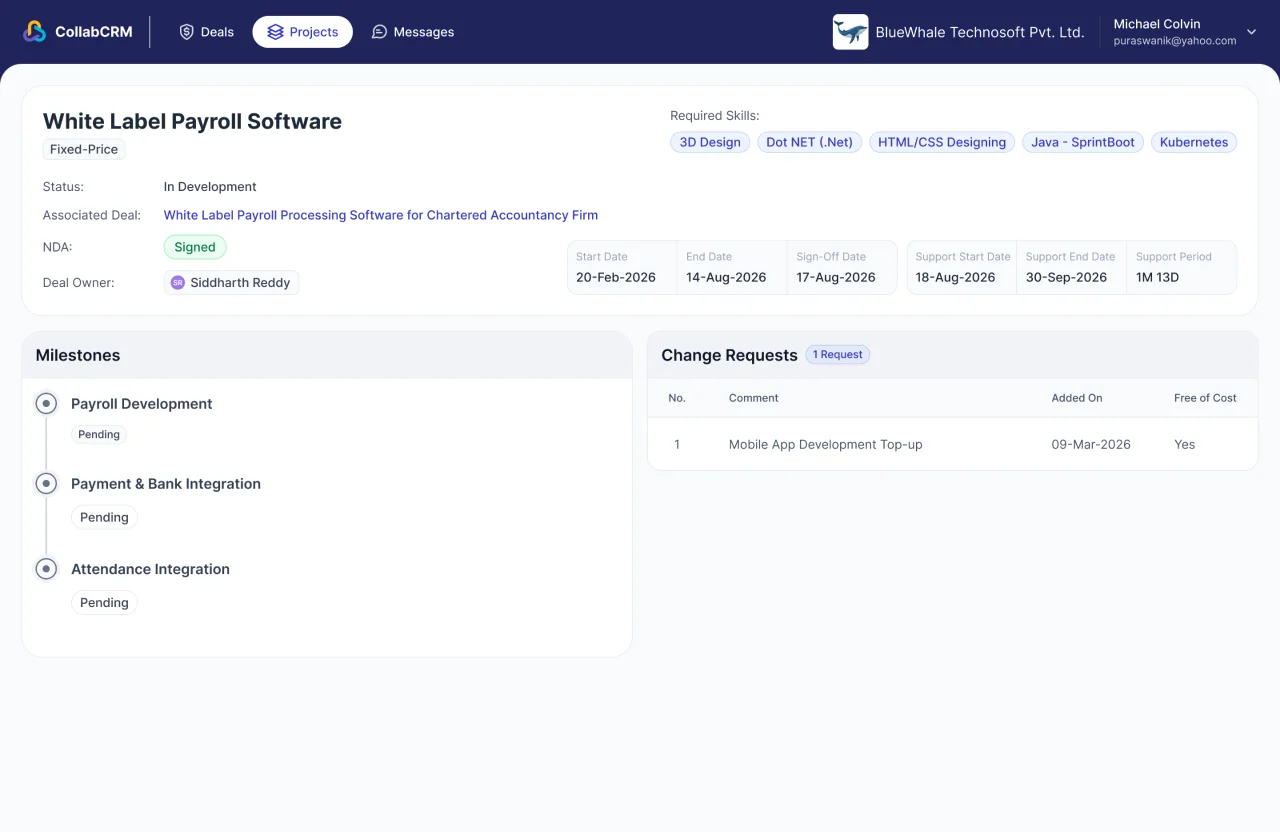
1. View Project Progress in Real Time
Clients can see every deal marked as won, along with proposals, linked projects, invoices, and recorded payments. They can also check project timelines, milestones, change requests, assigned resources, and timesheet details. No more asking your team for a status update. It is right there.
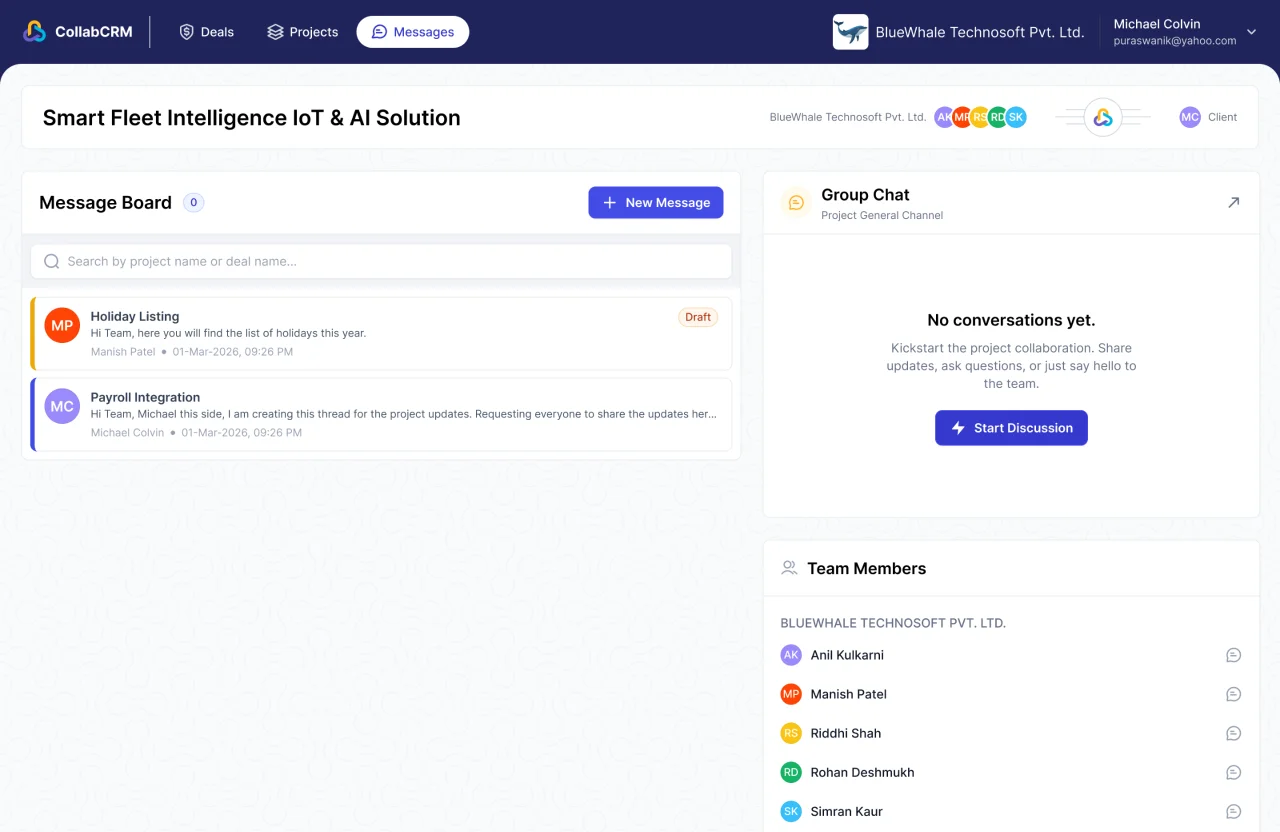
2. Collaborate With Your Team
Clients are not stuck waiting on email replies. They can message your team through a shared Message Board, jump into a group chat, or send a direct one-to-one message. Your project resources can be given access to these conversations too, so the right people are always in the loop.
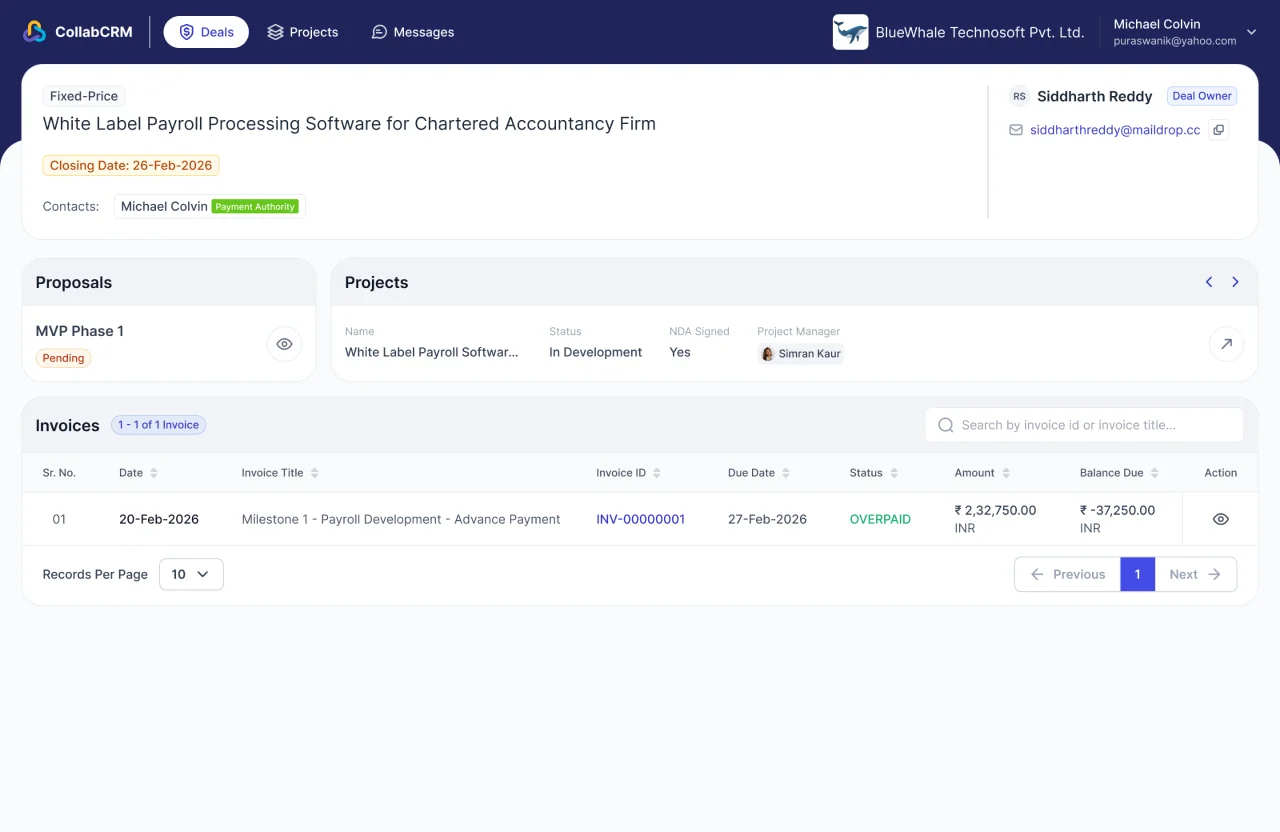
3. Access Proposals, Invoices, and Payment History
Billing questions are one of the biggest reasons clients reach out. The portal removes that friction. Clients can view invoices as they are generated and track payments recorded against them, so nobody has to chase down a PDF or ask for a payment confirmation.
The Freshest Additions to the Client Portal
We recently rolled out two updates that make the portal more convenient to use.
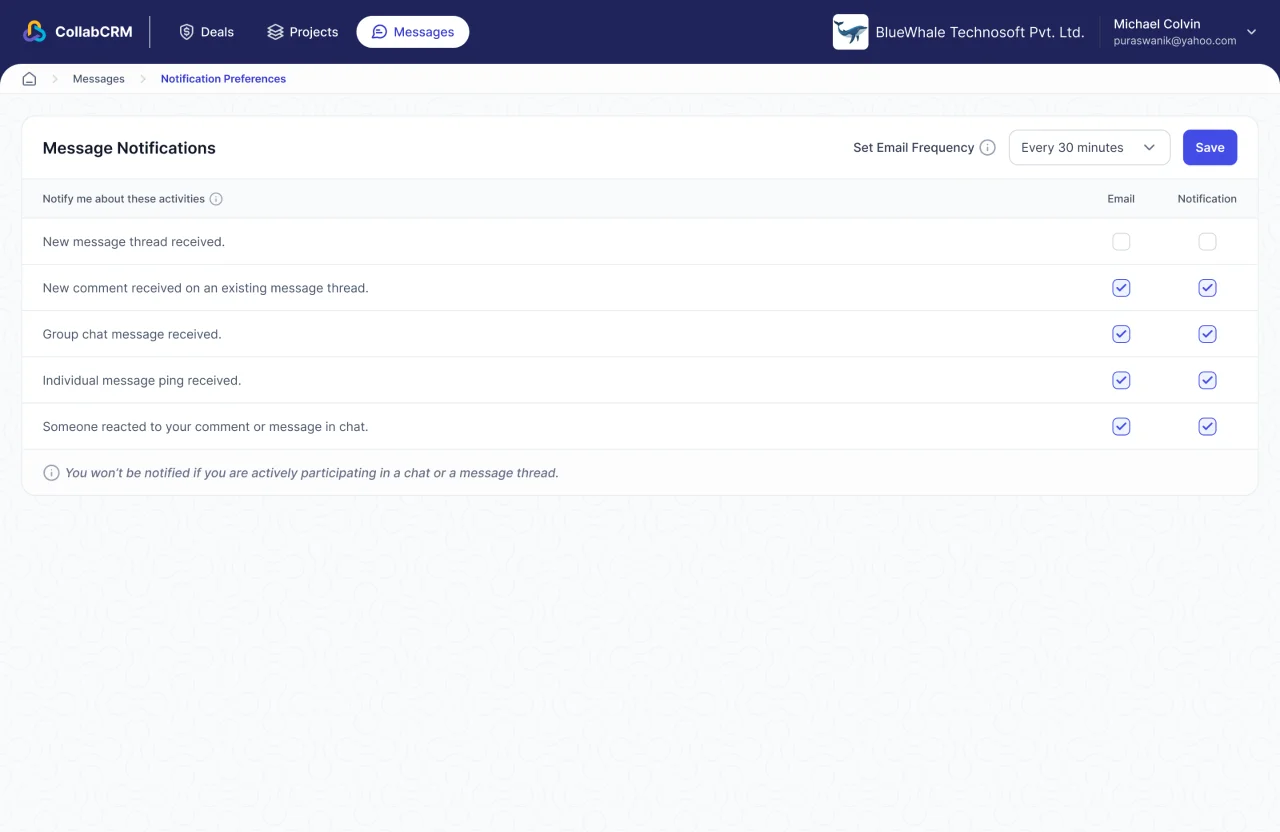
1. Personalized Email Notifications
Clients can now choose which email notifications they want to receive. This means less inbox clutter and more control over what matters to them, whether that is a project update, a new invoice, or a message from your team.
2. Desktop Push Notifications
Clients no longer have to keep a tab open or refresh their inbox to stay updated. With desktop push notifications, they get notified the moment something important happens on their project, right from their desktop.
Together, these two updates make the portal feel less like a static dashboard and more like a live, responsive workspace.
Benefits of Using a Client Portal for IT Service Businesses
A well-designed client portal improves the experience for both your team and your clients by making collaboration faster, clearer, and more organized.
1. Complete Project Visibility
Give clients real-time access to project progress, milestones, timesheets, and deliverables without waiting for manual status updates.
2. Centralized Communication
Keep project discussions, questions, and updates in one place instead of scattered across emails and messaging apps.
3. Faster Billing & Payment Tracking
Allow clients to view invoices, payment history, and outstanding balances anytime, reducing billing inquiries and improving financial transparency.
4. Better Client Experience
Self-service access to project information builds trust, improves responsiveness, and creates a more professional experience throughout the engagement.
5. Reduced Administrative Work
By eliminating repetitive status update requests and document sharing, your team can spend more time delivering projects and less time managing communication.
Why a Client Portal Like CollabCRM Matters
A good client portal solves a few problems at once.
1. It Cuts Down on Back & Forth
When clients can check progress themselves, your team spends less time typing out status updates.
2. It Builds Trust
Clients who can see real project data, not just a summary email, tend to trust the process more.
3. It Keeps Billing Simple
Clear visibility into invoices and payments means fewer disputes and fewer awkward follow-up calls.
4. It Keeps Conversations in One Place
When client messages live next to the project they are about, nothing gets lost in a random inbox.
These are the same problems that most client portal tools try to solve, whether it is registration and onboarding, account settings, secure document sharing, or billing visibility. CollabCRM covers the essentials that matter most for IT service teams: project visibility, direct messaging, and clear financial details, all tied to the project itself rather than sitting in a separate app.
More Than a Portal: CollabCRM Is Your Business Operating System
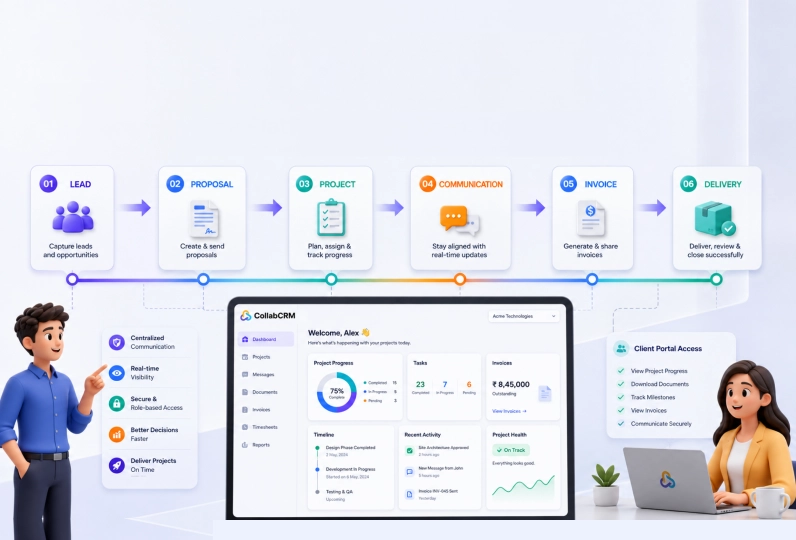
Here is the part that matters most. The Client Portal is not a standalone tool bolted onto a bigger system. It is one piece of CollabCRM, a business operating system built specifically for IT companies.
Most teams juggle a CRM for sales, a project management tool for delivery, a separate invoicing app, and a spreadsheet or two for people management. Each tool has its own login, its own data, and its own gaps. Information gets lost between them.
CollabCRM brings all of this into one system. Your CRM data flows into project creation. Project data flows into invoicing. Invoicing data flows into what your client sees in the portal. Nothing has to be copied between tools, and nothing falls through the cracks.
For an IT company, this means:
- Sales and delivery teams work from the same data, not separate systems.
- Clients get real-time visibility without your team doing manual updates.
- Invoicing, timesheets, and project status stay connected instead of scattered across tools.
- New features, like the notification updates above, roll out across the whole platform, not just one module.
The Client Portal is a good example of what CollabCRM stands for: less switching between tools, more clarity for everyone involved, and a system that grows with how your team actually works.
Want to see the Client Portal in action? Book a demo or start a free trial, no credit card needed.



 Priority Onboarding