
Ask ten business owners what a CRM does and most will say “it tracks customers.” That answer was accurate a decade ago. But it undersells what a CRM has become today.
A CRM in 2026 is closer to an operating system for revenue. It is built from modules, each one solving a specific problem: who to call next, why a deal stalled, whether a campaign is working, and what a customer needs before they even ask. Buying a sales CRM software without understanding these modules is like buying a car and only checking if it has wheels.
This piece breaks down the modules that matter most this year, backed by current research, so you know what to look for regardless of which platform you choose.
Key Takeaways
- CRM modules are the core building blocks that help businesses manage sales, customers, support, reporting, and operations.
- The right CRM is defined by how well its modules align with your business processes, not by the number of features it offers.
- Essential CRM modules include Lead & Contact Management, Sales Pipeline, Lead Conversion, Customer Support, Analytics, Workflow Automation, Mobile CRM, Integration, and Data Security.
- Integrated CRM modules improve collaboration by connecting customer, sales, project, and business data in one place.
- Businesses should choose CRM modules based on their goals, industry, team size, and future scalability.
- Strong security, compliance, and role-based access controls are critical for protecting customer and business data.
- Platforms like CollabCRM bring these essential CRM modules together, helping businesses manage leads, projects, clients, invoices, and reporting from a single workspace.
What Are CRM Modules?
CRM modules are individual functional components within a CRM platform. Each module focuses on a specific business process while sharing information with the rest of the system.
Instead of keeping customer information spread across spreadsheets, emails, marketing tools, and support software, CRM modules create work management software where every department works from the same customer data.
Depending on business size and industry, organizations may use only a few modules or build an integrated CRM ecosystem that supports every customer-facing operation.
Some modules primarily help sales teams, while others improve marketing, customer support, reporting, or internal collaboration.
Why CRM Modules Matter More Than Ever in 2026
Modern businesses face several challenges:
- Increasing customer expectations
- More digital communication channels
- Larger volumes of customer data
- Remote and hybrid work environments
- AI-powered competitors
- Growing privacy and compliance requirements
Today’s CRM modules address these challenges of the IT industry by automating routine tasks, improving visibility, and helping teams make faster, data-driven decisions.
Freshworks’ survey of 600 U.S. business professionals found 73% of businesses used CRM software, with 94% adoption among technology businesses and 71% among small businesses.
9 Essential CRM Modules Every Business Needs
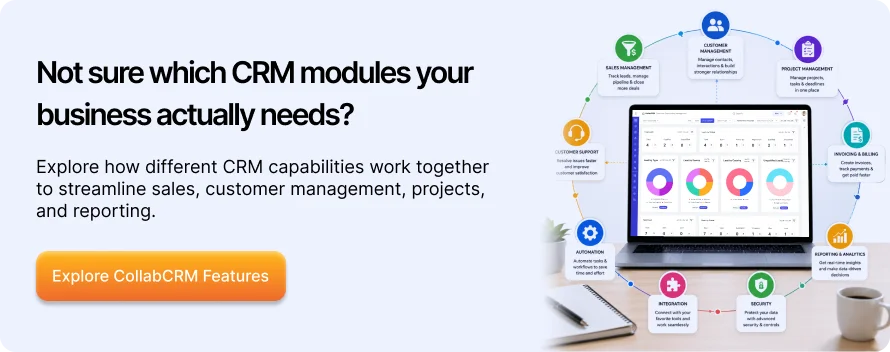
The essential CRM modules every business should consider are Lead & Contact Management, Sales Pipeline & Deal Management, Lead Conversion, Customer Service & Support, Analytics & Reporting, Workflow Automation, Mobile CRM, Integration Hub, and Data Security & Compliance.
Vendors like to sell CRM as a single product. In practice, a CRM’s value comes from how well its individual modules fit your workflow. A company with a five-person sales team has very different needs than a 200-person IT services firm managing multi-phase project delivery.
The scale of adoption backs this up. Fortune Business Insights values the global CRM market at about $113 billion in 2025, growing to roughly $126 billion in 2026 and a projected $321 billion by 2034, at a 12% CAGR.
That growth is not driven by one universal feature. It is driven by the fact that different modules solve different bottlenecks for different teams.
| CRM Module | Primary Purpose | Teams That Use It |
| Lead & Contact Management | Store and organize customer data | Sales, Marketing |
| Sales Pipeline | Track deals | Sales |
| Lead Conversion | Nurture leads | Marketing |
| Customer Support | Resolve issues | Support |
| Analytics | Measure performance | Leadership |
| Workflow Automation | Automate repetitive tasks | All teams |
| Mobile CRM | Access information remotely | Sales, Clients |
| Integration Hub | Connect business functions | Operations |
| Data Security | Protect customer information | IT, Compliance |
1. Lead and Contact Management
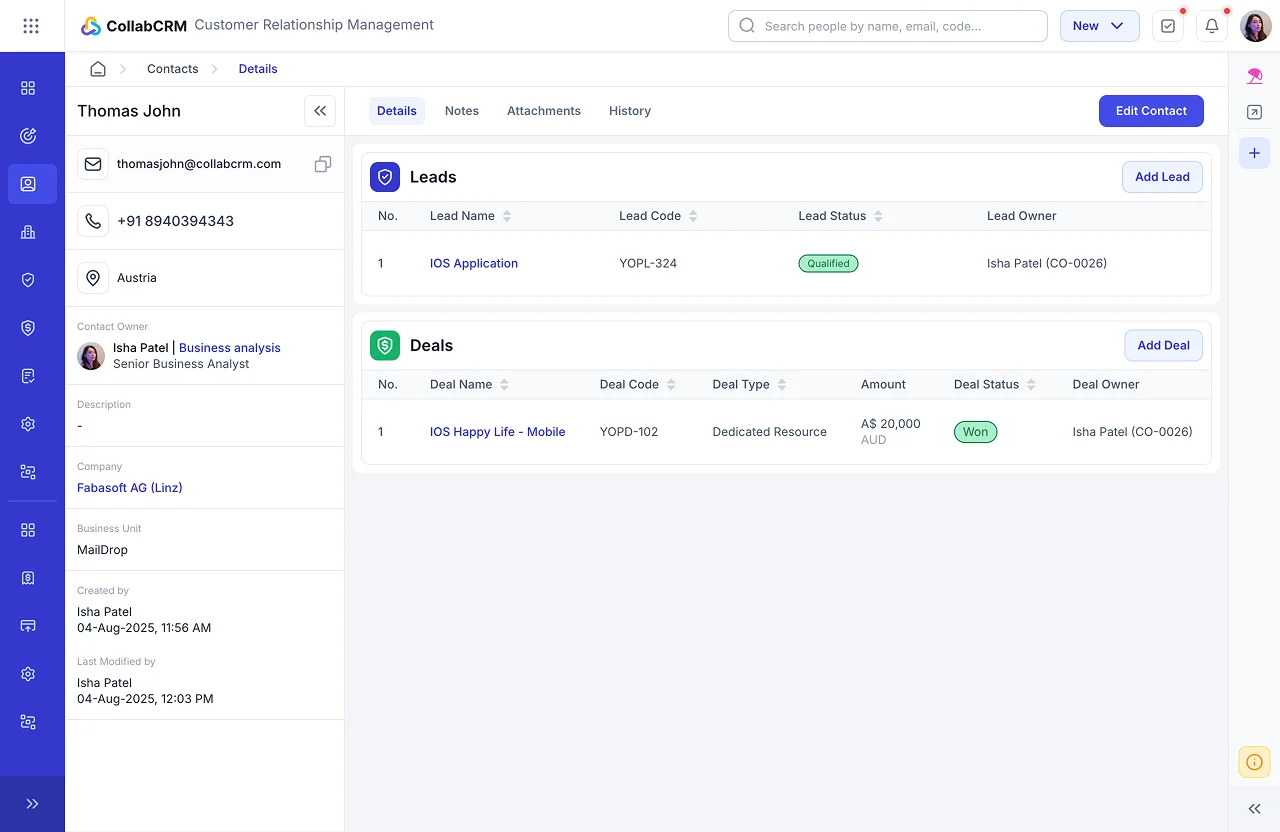
This is the module most people picture first, and it still forms the backbone of any CRM. It should track where a lead came from, every interaction they’ve had, and who owns the relationship right now.
A strong lead and contact module should reduce that manual burden through automatic capture from web forms, email, and calls, not add to it.
Key Features:
- Centralized customer and prospect database
- Lead capture from web forms, emails, social media, and campaigns
- Contact segmentation and tagging
- Lead qualification and scoring
- Duplicate record detection and merging
- Complete interaction and communication history
- Custom fields for capturing business-specific information
- Contact ownership and assignment
- Smart search and advanced filtering
- Import/export of contacts
- Relationship mapping between contacts, companies, and deals
Business Benefits:
- A powerful lead management software creates a single source of truth for all customer and prospect information
- Helps sales teams respond to leads faster and with complete context
- Reduces duplicate records and improves data accuracy
- Enables personalized communication through customer segmentation
- Improves lead qualification, allowing teams to focus on high-value opportunities
- Enhances collaboration by giving sales, marketing, and support teams access to the same customer data
- Increases sales productivity by reducing manual data management
- Strengthens customer relationships with a complete view of every interaction
- Improves reporting and forecasting with clean, organized customer data
- Supports business growth with a scalable customer database that evolves alongside the organization
2. Sales Pipeline and Deal Management
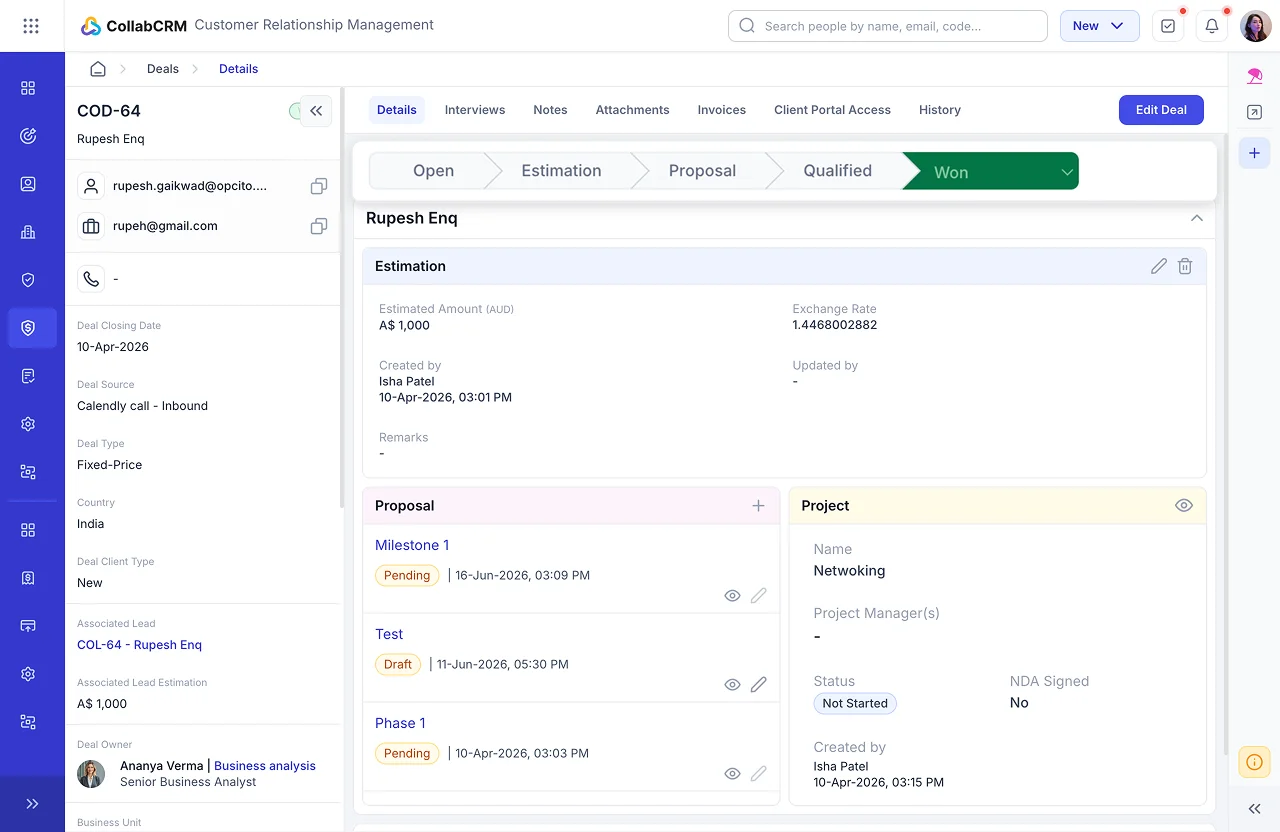
A pipeline module turns a list of opportunities into something you can actually manage: stages, probabilities, expected close dates, and reasons deals are lost. Losing sight of “why deals slip” is one of the most expensive blind spots a sales team can have.
A sales reps’ essential time is lost in other admin tasks, and not on selling. CRM in sales management module automates status updates, follow-up reminders, and stage progression exists specifically to shift that ratio back in the rep’s favor.
Key Features:
- Visual sales pipeline with customizable deal stages
- Deal and opportunity tracking from prospect to closure
- Drag-and-drop pipeline management
- Sales forecasting and revenue projections
- Quote and proposal management
- Task, follow-up, and reminder automation
- Deal prioritization based on value, stage, or probability
- Activity timeline for every opportunity
- Win/loss tracking and analysis
- Custom sales workflows and approval processes
- Team collaboration through notes, mentions, and shared updates
- Real-time pipeline dashboards and performance reports
Business Benefits:
- Provides complete visibility into every sales opportunity
- Helps sales teams prioritize high-value deals and focus on the right prospects
- Shortens sales cycles through timely follow-ups and workflow automation
- Improves forecasting accuracy with real-time pipeline insights
- Identifies bottlenecks and stalled deals before they impact revenue
- Increases sales team productivity by reducing manual tracking and administrative work
- Standardizes sales processes across teams for greater consistency
- Enhances collaboration between sales managers and representatives
- Enables data-driven decision-making with pipeline and performance analytics
- Improves win rates through better opportunity management and deal tracking
3. Lead Conversion (Marketing Automation)
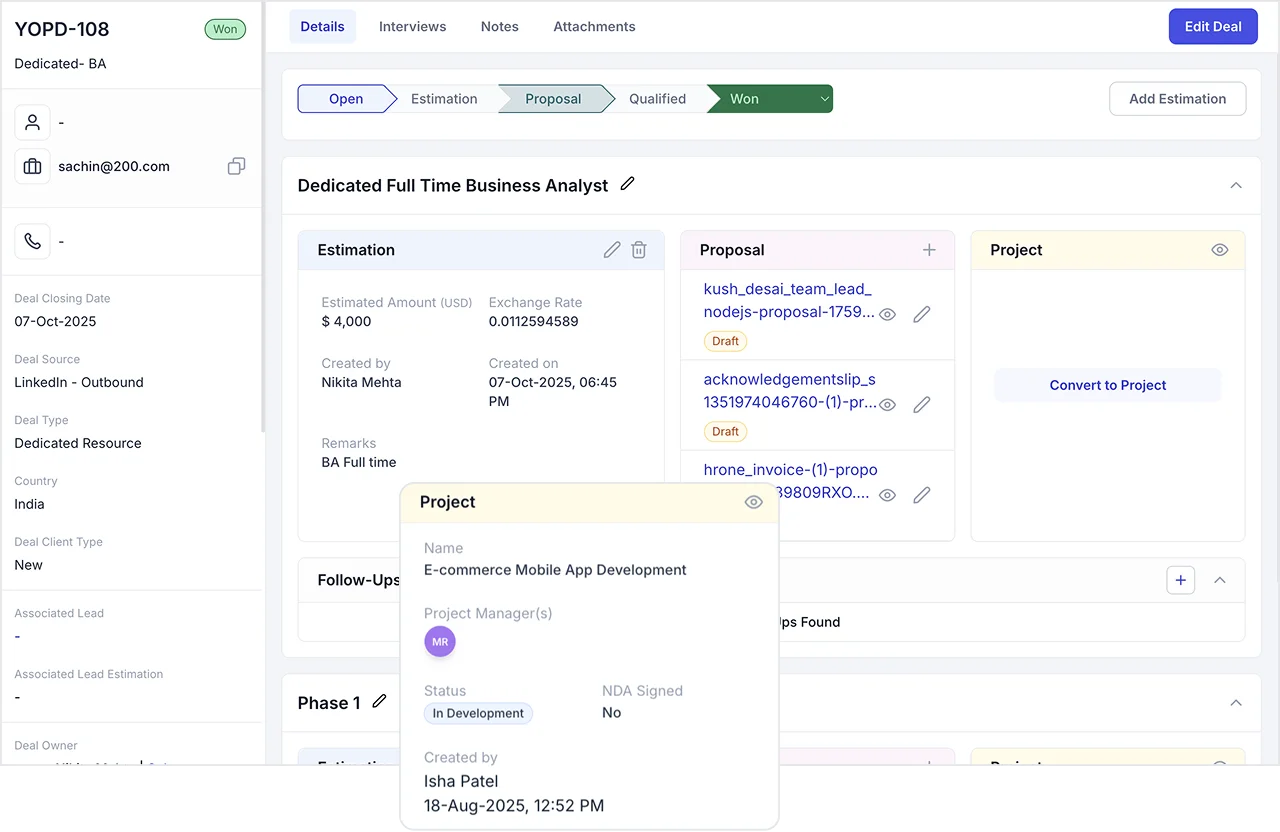
Marketing and sales modules increasingly overlap, and that’s by design. The most valuable part of this module isn’t the campaign builder. It’s the connective tissue between marketing and sales.
Leads captured straight from your website or landing pages should flow into the pipeline the moment they qualify, carrying their full history and context with them so nothing gets re-entered or lost in the handoff.
Key Features:
- Customer segmentation and audience targeting
- Lead nurturing workflows
- Campaign performance tracking and analytics
- Landing page and web form integration
Business Benefits:
- Delivers personalized customer experiences at scale
- Improves lead quality by nurturing prospects through the sales funnel
- Enhances customer engagement through timely and relevant communication
- Aligns marketing and sales teams with shared lead data and insights
- Boosts conversion rates through targeted campaigns and lead scoring
- Provides measurable insights to optimize marketing performance
- Reduces manual effort while enabling teams to manage multiple campaigns simultaneously
4. Customer Service and Support
Retention is where CRM pays off long after the deal closes.
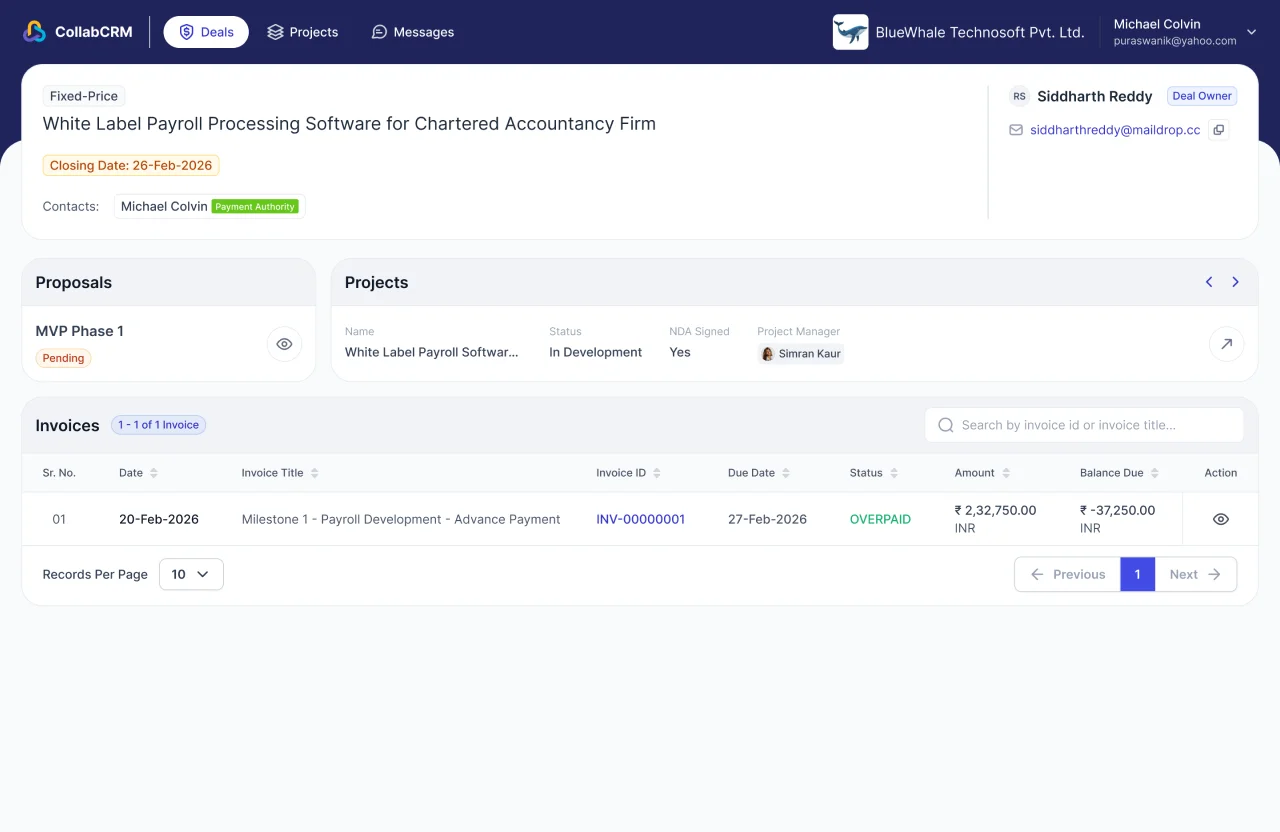
The strongest service modules don’t just log tickets. They centralize every open request in one place and give agents full context on a customer, not just past conversations, but their projects, invoices, and account history, so nothing has to be explained twice.
Many CRMs now extend this further with a client portal, giving customers a direct window into their own project status and billing, which does as much for retention as any support ticket ever could.
Key Features:
- Customer interaction history and unified profiles
- Automated ticket routing and assignment (to-do lists)
- SLA (Service Level Agreement) tracking and escalation
- Knowledge base and self-service portal
- Live chat and chatbot integration
- Priority-based issue management
- Internal collaboration and case notes
- Service performance dashboards and reporting
- Customer support workflow automation
Business Benefits:
- Resolves customer issues faster with centralized case management
- Improves customer satisfaction through timely and personalized support
- Provides support teams with complete customer context for more effective resolutions
- Ensures consistent service quality by automating ticket routing and escalation
- Reduces response and resolution times with streamlined workflows
- Enables customers to find answers independently through self-service resources
- Improves team collaboration when handling complex support cases
- Identifies recurring issues and service trends through analytics and reporting
- Strengthens customer loyalty and retention by delivering responsive, high-quality support
5. Analytics and Reporting
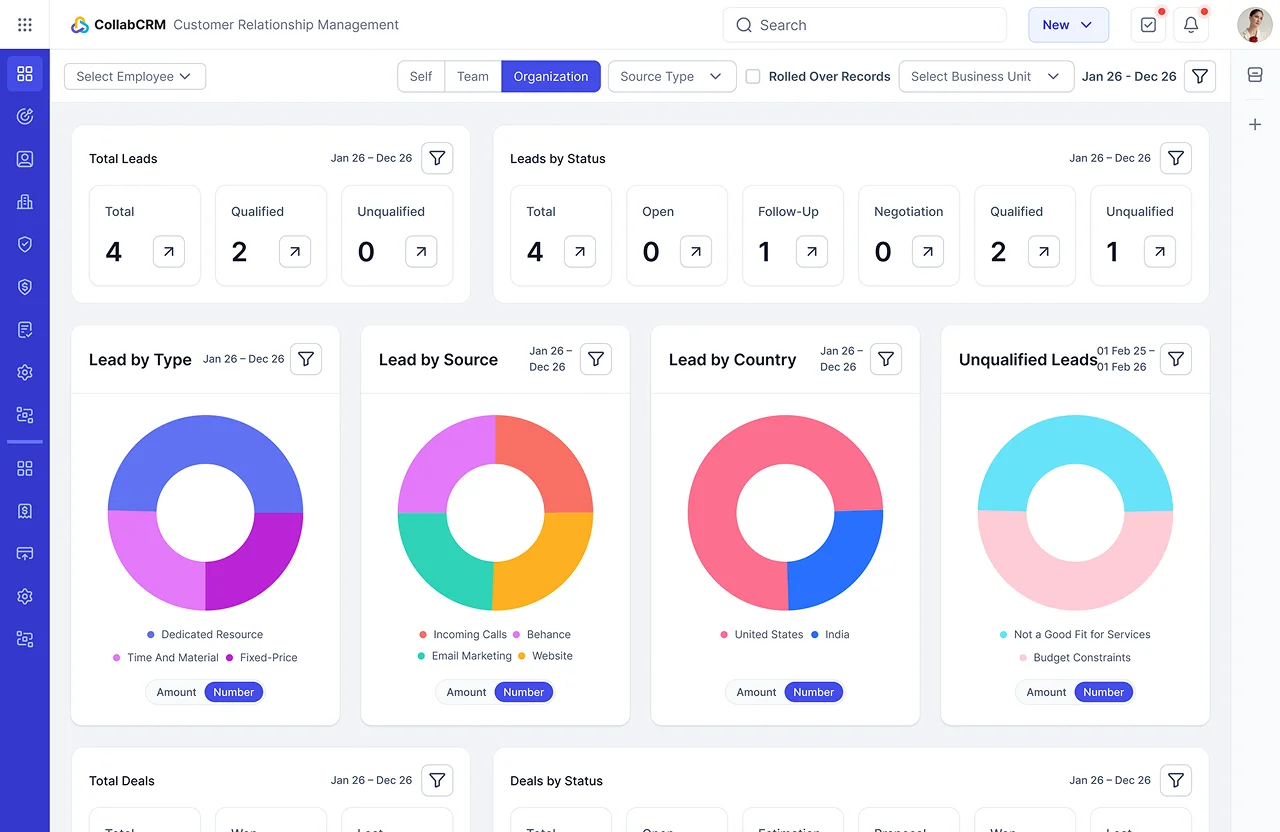
Numbers without context don’t help anyone make a decision. A reporting module should turn raw pipeline and customer data into forecasts, conversion trends, and team performance benchmarks that leadership can act on the same day.
That is the difference between guessing next quarter’s revenue and actually planning for it.
Key Features:
- Customizable dashboards with real-time business insights
- Sales, marketing, and customer service performance reports
- Lead conversion and campaign performance analytics
- KPI monitoring and goal tracking
- Trend analysis and historical data reporting
- Team and individual performance tracking
- Exportable reports in multiple formats
- Scheduled and automated report generation
- Data visualization through charts and graphs
Business Benefits:
- Enables data-driven decision-making with real-time business insights
- Improves sales forecasting and revenue planning
- Identifies high-performing campaigns, products, and sales strategies
- Helps managers monitor team performance and productivity
- Reveals customer trends and buying patterns for better engagement
- Tracks key business metrics from a single, centralized dashboard
- Identifies process bottlenecks and opportunities for improvement
- Reduces manual reporting through automated report generation
- Supports strategic planning with accurate and actionable data
- Enhances business transparency by providing stakeholders with clear performance visibility
6. Workflow Automation and Consolidation
This is one of the fastest-moving areas in CRM right now, and automation is doing the heavy lifting. The best systems don’t just remind a rep to follow up.
They trigger the right action automatically across the business: a follow-up nudge when a lead goes quiet, an approval routed to the right manager, a proactive alert when a contract is nearing expiry, or a timesheet hasn’t been logged.
But the underlying discipline, automated handoffs and less manual chasing, matters more than which specific technology delivers it.
That consolidation trend matters. Businesses are tired of stitching together five tools with five logins to do one job.
Key Features:
- Automated lead assignment and follow-up reminders
- Trigger-based notifications and alerts
- Workflow templates for common business processes
- Cross-department workflow orchestration
- Data synchronization across integrated systems
- Centralized management of customer information and activities
- Audit trails and workflow activity logs
Business Benefits:
- Streamlines business processes across sales, marketing, and customer support
- Improves operational efficiency with faster task execution
- Ensures consistent processes and compliance across departments
- Consolidates customer data and business activities into a single, unified platform
- Enhances collaboration by keeping teams aligned on shared workflows
- Accelerates response times through automated notifications and task routing
- Increases productivity by minimizing administrative overhead
7. Mobile CRM
Business doesn’t happen only at a desk, and a CRM’s mobile experience needs to reflect that.
The bar for a good mobile module isn’t just checking a deal status from your phone. It’s getting the same real-time picture everyone else gets, project progress, logged hours, invoice history, and notifications the moment something changes, without waiting to get back to a laptop.
Key Features:
- Anytime, anywhere access to client-facing information
- Role-based access controls for secure data visibility
- Real-time updates between the CRM and client portal
- Customer request and communication management
- Secure authentication and user access management
- Integration with core CRM modules for synchronized data
- Notifications and status updates for client interactions
Business Benefits:
- Enables teams and clients to stay connected beyond the office
- Enhances transparency by allowing clients to track relevant information and updates
- Strengthens customer relationships through faster communication and easier access to shared resources
- Reduces back-and-forth emails by providing a centralized client-facing workspace
- Improves collaboration between internal teams and customers
- Increases operational efficiency by keeping client information synchronized across the CRM and portal
- Supports secure, role-based access to protect sensitive business and customer information
8. Integration Hub
A CRM that lives in isolation from your project management, invoicing, or HR systems creates the exact silos it was meant to remove. The most effective CRMs treat integration as a core module, not an afterthought, connecting sales data with delivery and billing, so nothing falls through the cracks between “deal won” and “invoice sent.”
Key Features:
- Unified workspace for managing contacts, leads, clients, and sales
- Centralized project and task management alongside CRM activities
- Built-in invoice and quotation management
- Shared customer records across sales, projects, and finance
- Consolidated dashboards for business performance and reporting
- Team collaboration with shared notes, activities, and updates
- Role-based access to business information
- Client Portal integration for seamless customer communication
- Import and export tools for customer and business data
- APIs and integration support for extending platform capabilities
Business Benefits:
- Eliminates the need to switch between multiple business applications
- CRM in project management provides a single source of truth for customer, project, sales, and financial information
- Improves collaboration by keeping teams aligned on shared data and workflows
- Streamlines operations by connecting customer management with project execution and invoicing
- Reduces manual work and duplicate data entry across departments
- Gives leadership a unified view of business performance through centralized reporting
- Accelerates decision-making with real-time access to operational and customer insights
- Enhances customer experience by ensuring every team works with consistent, up-to-date information
- Simplifies business management with one integrated platform instead of multiple disconnected tools
- Supports business growth with a scalable solution that brings together people, projects, clients, sales, invoices, and reports in one place
9.Data Security and Compliance
As CRMs hold more sensitive data, from contracts to payment details, compliance stops being optional. Certification of GDPR readiness and security aren’t just checkboxes. They tell you whether a vendor treats your customer data with the same seriousness you do.
Key Features:
- Role-based access control (RBAC) for user permissions
- Secure user authentication and login management
- Data encryption for information at rest and in transit
- Audit trails and activity logs for user actions
- Automated data backup and recovery
- Configurable user roles and access levels
- Secure document and file storage
- Password policies and account security controls
- Compliance support for industry-specific regulations
- Data retention and archival settings
- Permission-based sharing of customer records
- Security monitoring and administrative controls
Business Benefits:
- Protects sensitive customer and business data from unauthorized access
- Helps organizations meet regulatory and compliance requirements
- Reduces security risks through controlled access and user permissions
- Improves accountability with complete visibility into user activities
- Ensures business continuity through reliable backup and recovery capabilities
- Builds customer trust by safeguarding confidential information
- Minimizes the risk of data loss, breaches, or accidental modifications
- Enables secure collaboration without compromising data privacy
- Supports governance with standardized security policies and audit readiness
- Provides peace of mind by maintaining a secure and compliant CRM environment
Features That Define a Modern CRM in 2026
Beyond individual modules, businesses should look for capabilities that improve usability, scalability, and long-term value.
Key features of CRM include:
- Cloud accessibility
- Mobile CRM
- Role-based permissions
- Real-time dashboards
- Third-party integrations
- Data security and compliance
- Custom reports and dashboards
- Audit trails
- API access
How to Choose the Right CRM Modules
The right CRM modules depend on your business goals, team structure, and operational workflows. Rather than choosing a CRM with the most features, prioritize modules that solve your current challenges, integrate with your existing processes, and scale as your business grows.
When evaluating CRM software, consider the following factors:
1. Business Goals
Identify whether your priority is sales growth, customer retention, marketing automation, or operational efficiency.
2. Team Size
Small & medium-sized businesses often need contact management, sales, and automation first, while large enterprises typically require advanced analytics, integrations, and workflow customization.
3. Industry Requirements
Healthcare, finance, manufacturing, education, and professional services often require specialized workflows and compliance capabilities.
3.Scalability
Choose a CRM that allows you to add modules as your business grows rather than replacing the entire system later.
4. Ease of Adoption
Research consistently identifies user adoption as one of the biggest factors influencing CRM success. An intuitive interface, automation, and clear workflows often matter more than having hundreds of rarely used features.
How CollabCRM Brings These CRM Modules Together
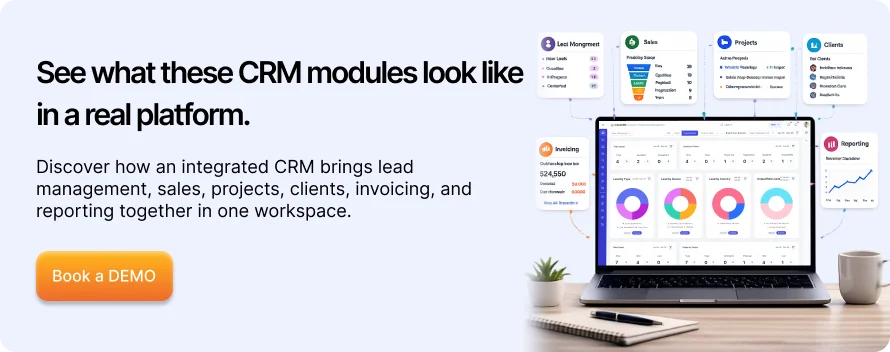
If you’re evaluating what these modules look like in practice, CollabCRM’s CRM module was built specifically around the gaps IT and service-driven businesses run into most.
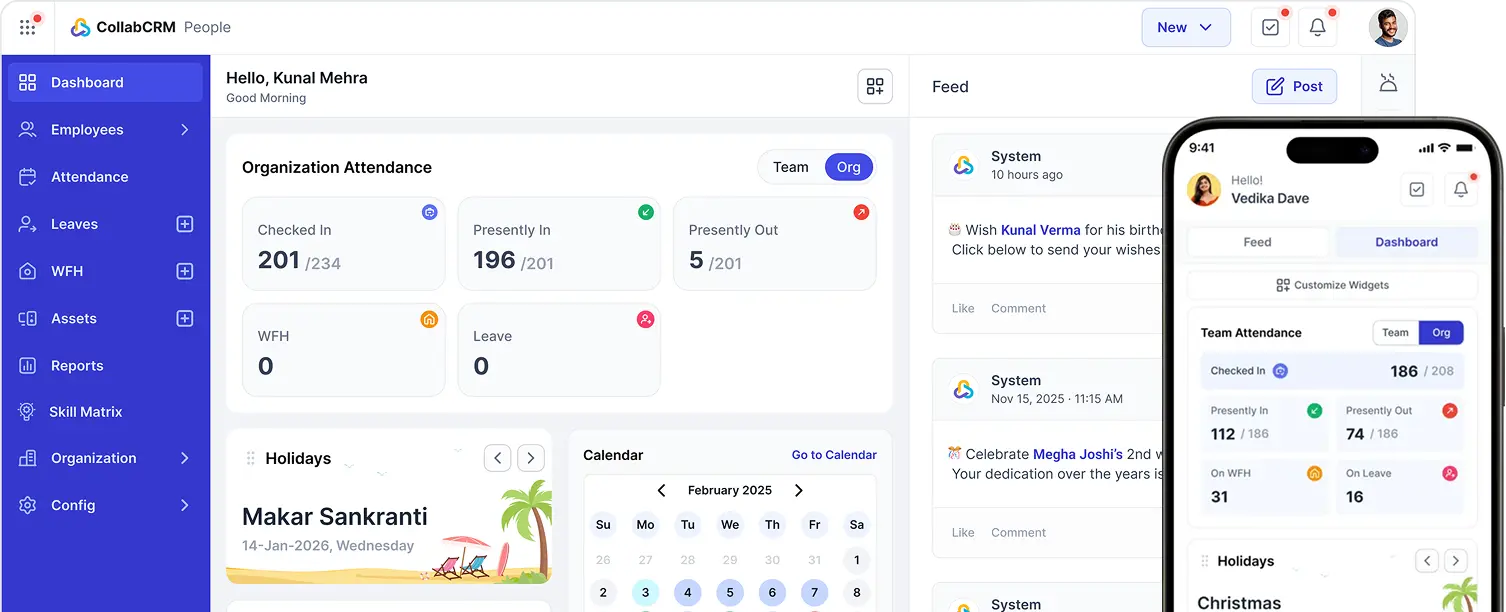
It brings together the essential CRM modules businesses need in one unified platform. From capturing website leads and managing sales pipelines to centralizing contacts, tracking goals, and monitoring performance through real-time dashboards, it helps teams manage the entire customer journey from a single workspace.
Unlike standalone CRM systems, CollabCRM extends beyond sales. It is a company resource management system. Once a deal is won, it seamlessly connects customer management with project execution, invoicing, reporting, and client collaboration.
This eliminates duplicate data entry, improves cross-functional visibility, and gives businesses a complete view of their customers, projects, revenue, and team performance, all in one place.
Conclusion
The CRM conversation in 2026 isn’t about picking the platform with the longest feature list. It’s about matching modules to the actual bottlenecks in your revenue process: leads that go cold, deals that stall without explanation, reps buried in data entry, and customer data locked away from the teams that need it.
Get the modules right, and the rest of the CRM debate mostly takes care of itself.
FAQs
CRM modules are individual functional components within a CRM system that manage specific business processes such as contact management, sales, marketing, customer support, reporting, workflow automation, and data security.
Most businesses should prioritize these modules in a CRM:
– Lead & Contact Management
– Sales Pipeline Management
– Lead Conversion
– Customer Service
– Analytics & Reporting
– Workflow Automation
– Integration Hub
– Data Security & Compliance
CRM modules are broad functional areas, such as Sales or Customer Support. CRM features are the individual capabilities within those modules, such as lead scoring, ticket management, dashboards, or workflow automation.
Yes. Small businesses often start with contact management and sales pipeline modules, then gradually add automation, reporting, customer support, and integrations as they grow.
CRM modules help sales teams capture leads, manage opportunities, automate follow-ups, track customer interactions, forecast revenue, and identify high-value opportunities, leading to shorter sales cycles and improved conversion rates.
Workflow automation reduces repetitive manual tasks by automatically assigning leads, sending reminders, triggering approvals, and updating records. This improves productivity, consistency, and operational efficiency.
Businesses should evaluate CRM modules based on their goals, industry requirements, team size, scalability, ease of adoption, integration capabilities, reporting needs, and security requirements.
Yes. Many modern CRM platforms now include AI-powered capabilities such as lead prioritization, predictive analytics, automated recommendations, workflow automation, and intelligent reporting to improve decision-making and productivity.
Integrated CRM modules connect customer management with sales, projects, support, invoicing, and reporting. This reduces duplicate data entry, improves collaboration, and provides a unified view of business performance.
Businesses should review their CRM setup at least once a year or whenever they experience significant growth, introduce new processes, or expand into new markets to ensure the CRM continues to support evolving operational needs.






 Priority Onboarding