

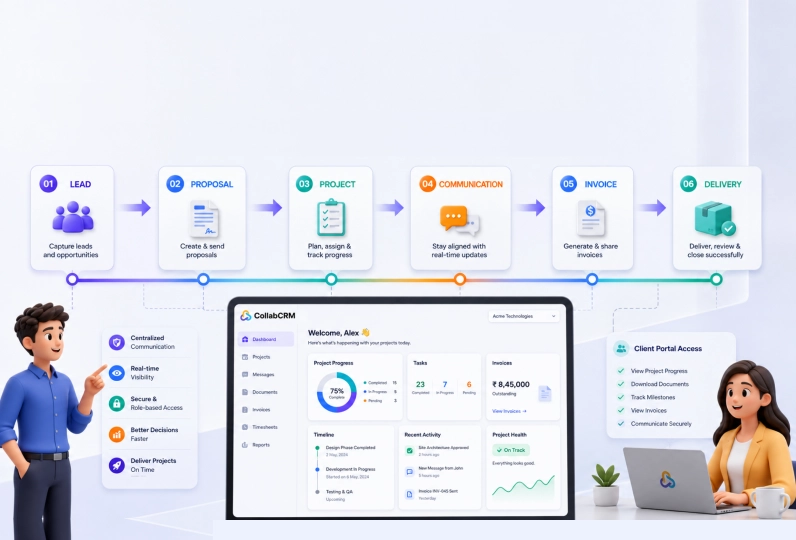
Client communication is one of the biggest challenges for IT businesses today. Projects get delayed because updates are scattered across emails and chat messages. Clients feel left out because they have no visibility into what is happening. Teams waste hours answering the same status questions every week.
A client communication portal solves this. It gives clients real-time access to project progress, documents, invoices, and approvals from one place.
This blog walks you through how to build a client communication portal for your agency or business using CollabCRM, and why it changes the way you work with clients.
Key Takeaways:
- A client communication portal gives clients one place to track project progress, access documents, view invoices, and stay informed without sending follow-up emails.
- Scattered tools like email, chat, and spreadsheets create communication gaps that damage client trust and slow down project delivery.
- CollabCRM connects every stage of the client journey from lead to billing inside a single platform.
- Clients see only what is relevant to them. Internal data, costs, and operational notes stay private and protected.
- Built-in timesheet sharing, milestone tracking, and proposal management reduce the need for status calls and manual reporting.
- Global data privacy regulations such as GDPR apply to client portals. Role-based access controls help IT businesses stay compliant.
- Following best practices like keeping dashboards simple, updating data regularly, and standardizing reports ensures the portal stays useful over time.
What Is a Client Communication Portal?
A client communication portal is a secure, centralized digital hub where businesses and their clients can interact with each other. Instead of scattered conversations, files, and updates across multiple email threads, these portals give customers a single, branded dashboard.
From one place, clients can message your team, track project progress, share documents, and make payments.
Businesses use client communication portals to create a more secure, organized, and efficient customer experience. Unlike standard email communication, portals use secure access and encrypted systems to protect sensitive business, financial, and client data from phishing risks and data leaks.
They also centralize conversations, documents, approvals, and project updates, making information easier to find without searching through long email threads.
Many portals also support self-service experiences where clients can access FAQs, track support requests, review project progress, or find answers independently. This can help you reduce communication delays, improves transparency, and helps businesses deliver a more professional and streamlined client experience.
Who can use them: Consultant and SaaS companies, IT service providers, managed IT teams, web development agencies, marketing and creative agencies and technology consulting businesses.
Why IT Businesses Struggle with Client Communication?
IT businesses deal with a unique communication challenge. They manage technical projects, multiple clients, and distributed teams all at the same time. When communication breaks down, projects get delayed, clients get frustrated, and revenue is affected.
Here are the four most common reasons IT businesses struggle with client communication.
1. Too Many Tools, Too Little Control
Most IT teams use a different tool for every task. They send updates over email, discuss issues on chat, share files on cloud storage, and track tasks in a project board. None of these tools talk to each other.
Clients receive information from five different places and cannot make sense of any of it. This is exactly the problem that client communication management software is designed to solve.
2. Manual Processes Slow Everything Down
Many IT businesses still update clients manually. A project manager writes a weekly email. Someone pulls a report from a spreadsheet. A team lead answers the same status question three times in one day.
These manual steps take time and create room for error. When a business is managing ten or twenty clients at once, these small delays add up quickly.
3. Inconsistent Communication Across Clients
Not every client gets the same quality and kind of information. Some clients receive detailed updates. Others are left waiting. This inconsistency damages trust.
A client who feels ignored will not renew a contract, even if the work delivered was good. Consistent communication is not just about being polite. It directly affects client retention.
4. Security and Compliance Risks
IT businesses handle sensitive data every day. Source code, server credentials, financial records, and personal client information pass through communication channels regularly. Sharing this information over unprotected email or general messaging apps creates serious security and compliance risks.
For businesses working with clients in regulated industries such as banking, healthcare, or government, this risk is even greater.
How CollabCRM Client Communication Portal Can Help IT Businesses?
IT businesses often manage communication across multiple projects, clients, teams, approvals, invoices, and delivery timelines at the same time. In such as case, communication gaps and project confusion become difficult to avoid.
CollabCRM’s client communication portal can help software development companies and other IT companies to manage all these challenges. Let us see how.
1. The Problem with Using Too Many Tools
Most IT businesses use a mix of tools to manage client work. They send project updates over email. They track tasks in one tool, invoices in another, and store files somewhere else entirely.
This makes communication and operations complex and leaves everyone confused. The teams end up spending hours trying to connect information that should already be in one place.
2. How CollabCRM Connects Every Step
CollabCRM solves this by bringing every part of the client workflow into a single connected platform.
When a new client comes in, the journey starts in the CRM with a lead. That lead becomes a deal. The deal gets a proposal. Once the client approves, the project begins.
Invoices are raised as the work progresses. All of this happens inside CollabCRM, so no information is lost between steps, and no team ever loses track of project objectives, progress, changes and other important context.
3. One Login for Your Client, One Source of Truth
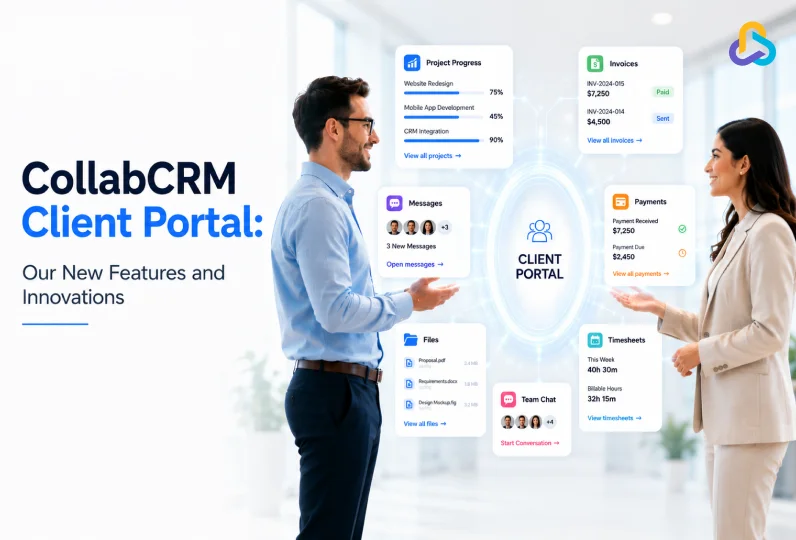
Clients get one login. From there, they can perform multiple tasks such as:
- check project progress
- review proposals
- download documents
- view invoices, and more
With easy access to the regular updates, your clients do not need to send a message asking for progress. They do not need to wait for a weekly call. Everything they need is already visible in their CollabCRM portal.
For example, a web design agency working with a retail brand can give that client access to their project board, sprint milestones, and billing records all at once. The client sees exactly what is being worked on and what is coming next. The agency team works without interruption.
4. Your Internal Data Stays Private
CollabCRM has built privacy into its system layers. Clients only see what is relevant to them. Internal work logs, resource costs, and operational notes stay hidden.
This means teams can work openly inside CollabCRM without worrying about sharing sensitive information by accident.
For businesses operating globally, this level of data control also matters from a legal standpoint. For instance, if your business works with clients in Europe or handles data belonging to EU residents, regulations like GDPR require strong data privacy and controlled access.
CollabCRM’s role-based permissions helps ensure clients only access their own information, reducing the risk of unauthorized data exposure. At the same time, the EU Data Act also gives users greater control over accessing and exporting their digital data. CollabCRM help businesses manage this more efficiently by centralizing project data, documents, and communication in one organized system.
Similar data protection regulations and policies also exist in countries like India, Australia, Canada, and the United States. CollabCRM takes all of them into consideration.
5. Built for Service Businesses Around the World
CollabCRM is designed for IT companies, IT consulting firms, software companies, and other IT service businesses around the world. Whether a team is based in one city or spread across multiple time zones, the portal keeps communication clear, consistent, and professional.
As IT businesses grow, they often manage more clients, more projects, and more team members at the same time. Communication becomes harder to control when work is happening across different locations and time zones.
CollabCRM is built to handle this scale. Teams can manage multiple client portals from one platform, keep every project communication organized, and ensure that no client ever feels out of the loop.
Whether a business is handling five clients or fifty, the experience stays structured and professional on both sides.
How to Set Up Your Client Communication Portal in CollabCRM?
Setting up a client communication portal in CollabCRM is straightforward. Follow these steps to give your clients a clear, organized, and professional experience from day one.
Step 1: Grant Portal Access to Client Contacts
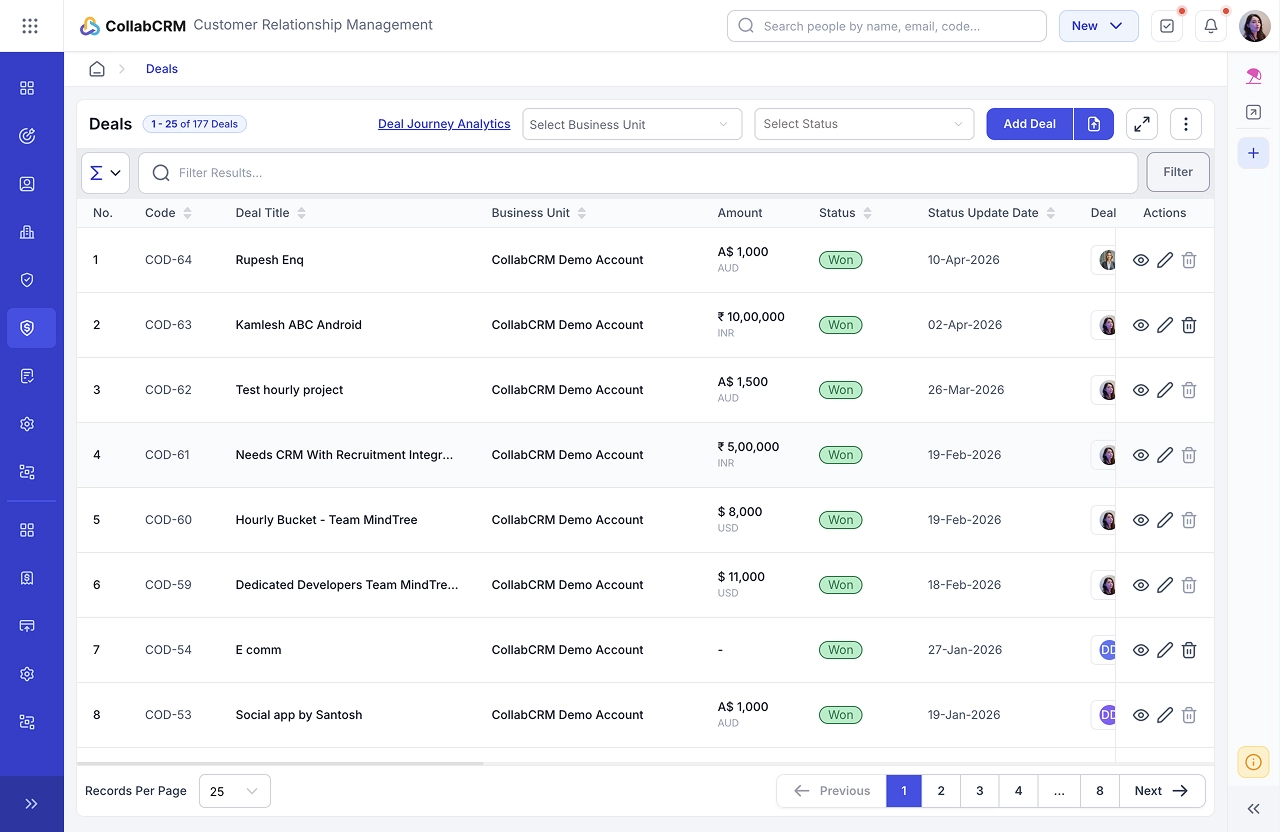
- On the CRM portal of CollabCRM, go to deals on the left panel
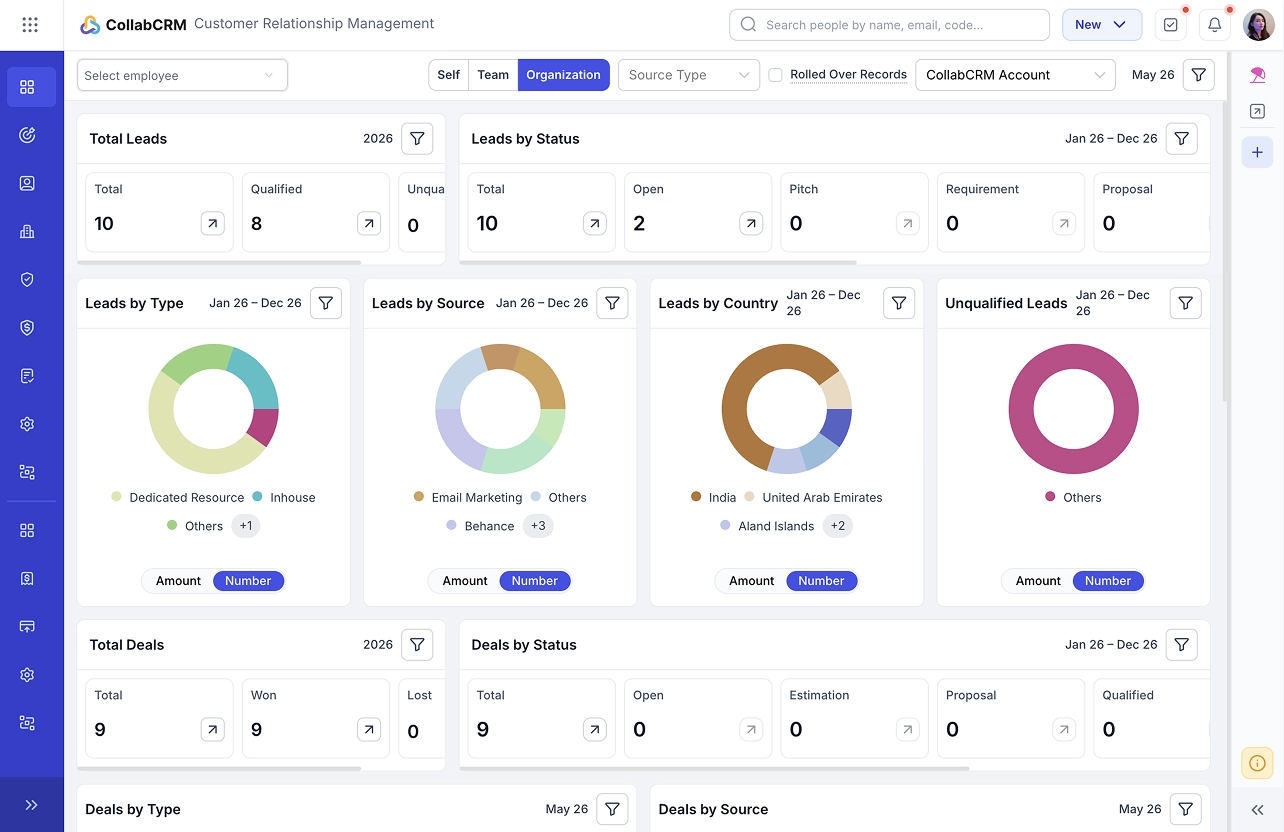
- Choose the client and click on view
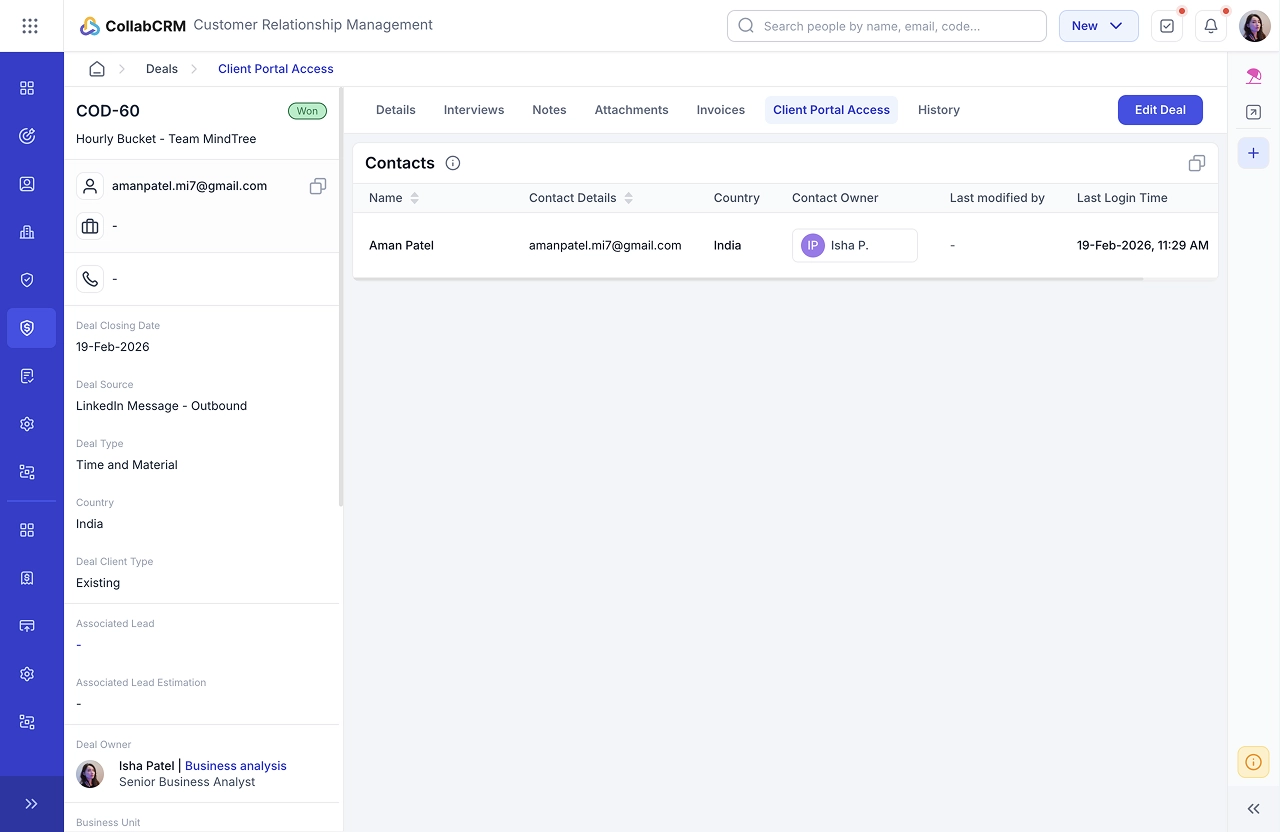
- Locate the Client Portal Access tab within the deal. Here, you will see a list of all contacts associated with the deal.
- Select one or more contacts from this list to grant portal access, enabling them to log in and use the client portal.
Step 2: Grant Communication Access to Project Resources
- On the Project Management portal of CollabCRM, go to deals on the left panel.
- Go to Projects and open the project you are concerned with.
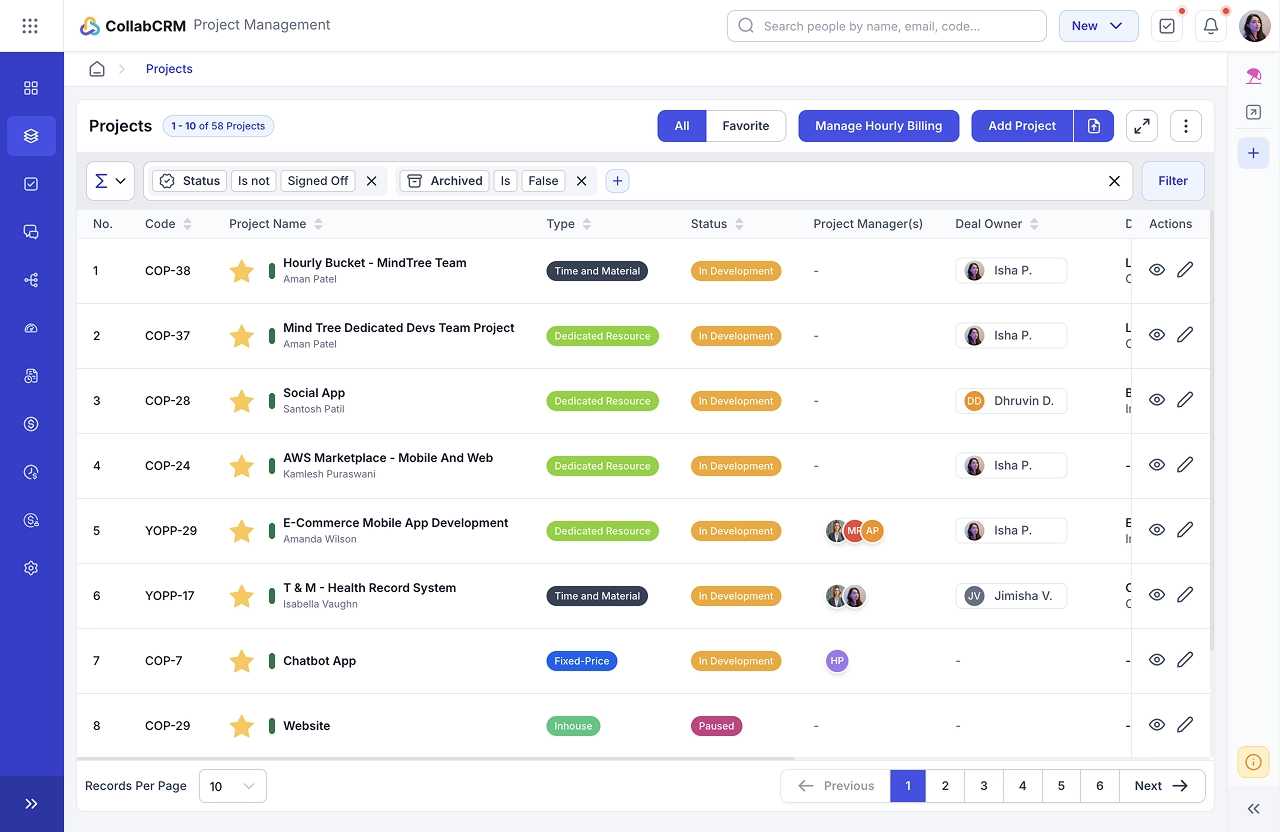
- Navigate to the Resources tab to view all team members working on this project.
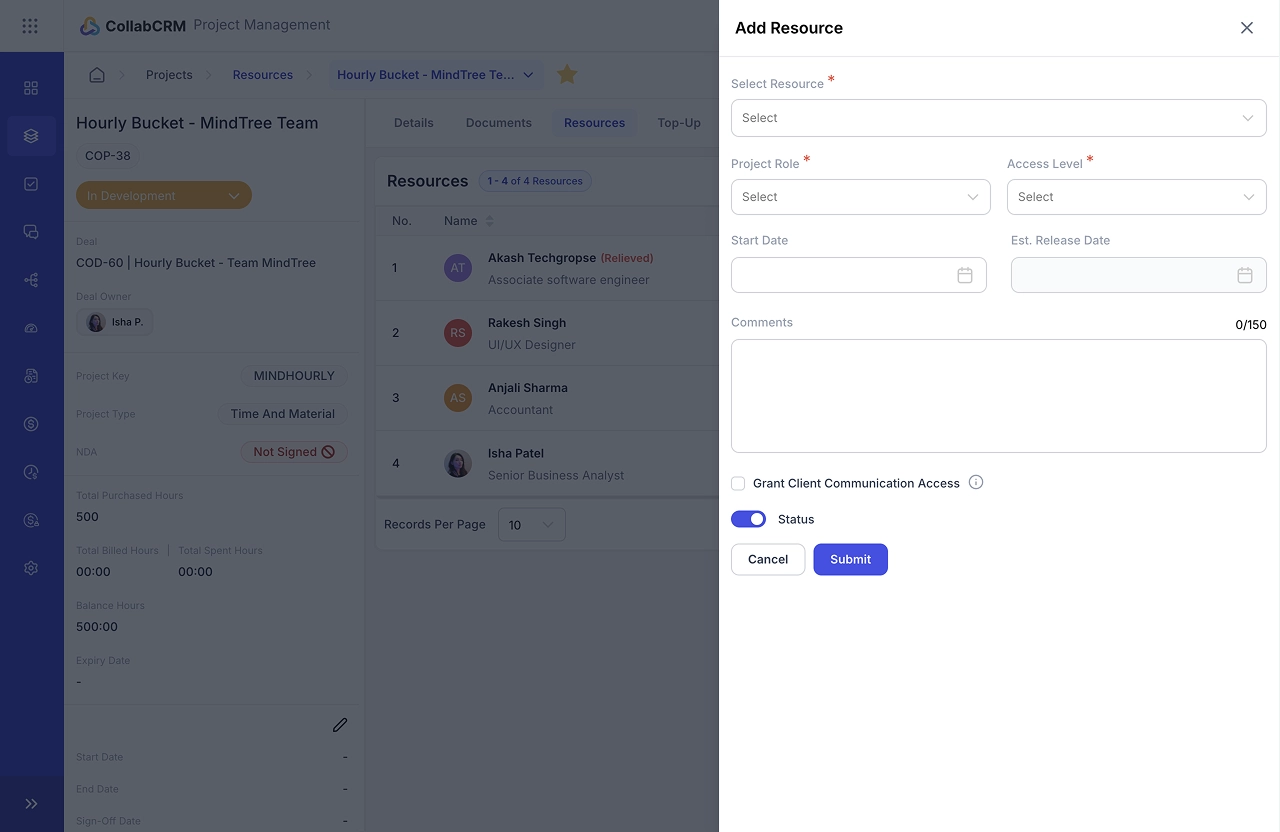
- Here you can add new resources. if required.
- Use the checkbox option to enable or disable client communication access for each resource.
Step 3: Enable Communication Features for Resources
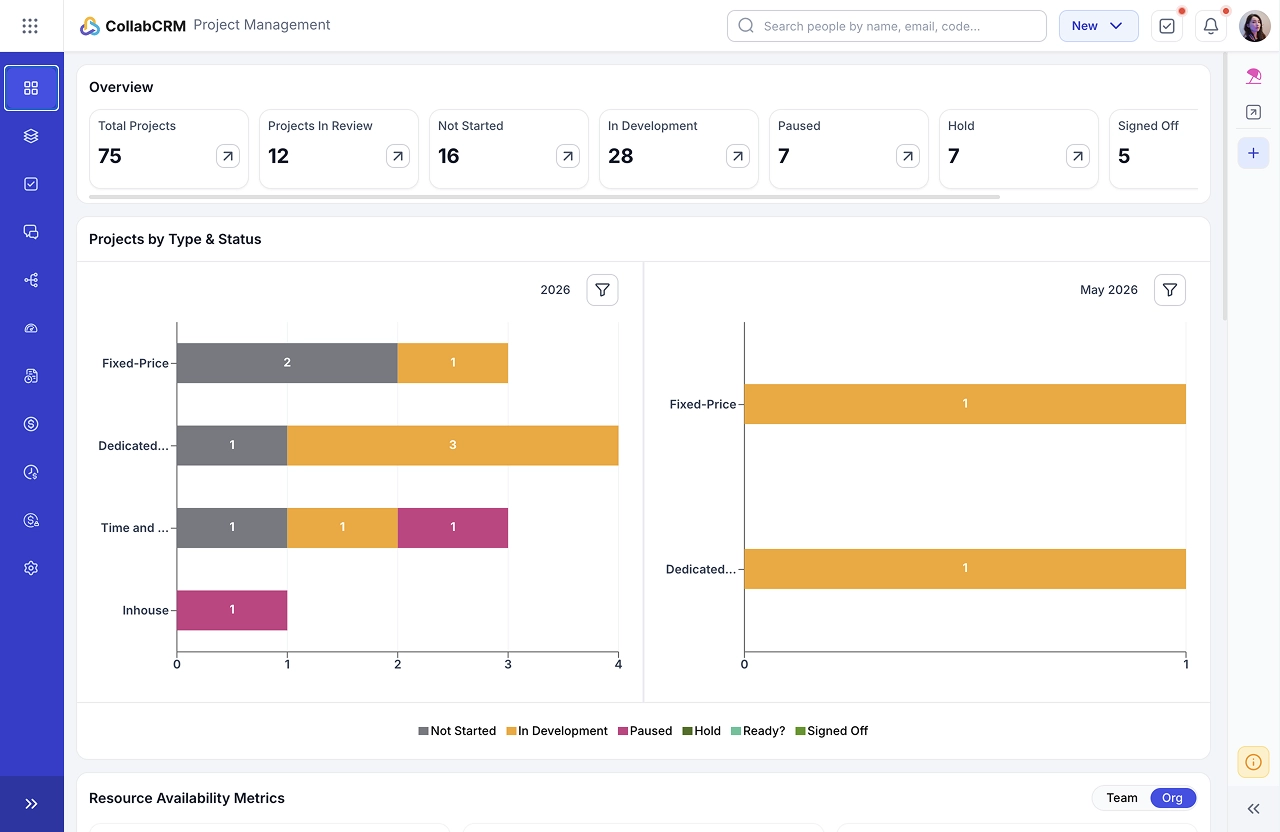
- Once communication access is granted, the resource gains the ability to:
- View client messages.
- Participate in message boards.
- Engage in one-to-one or group chats with clients and other internal resources.
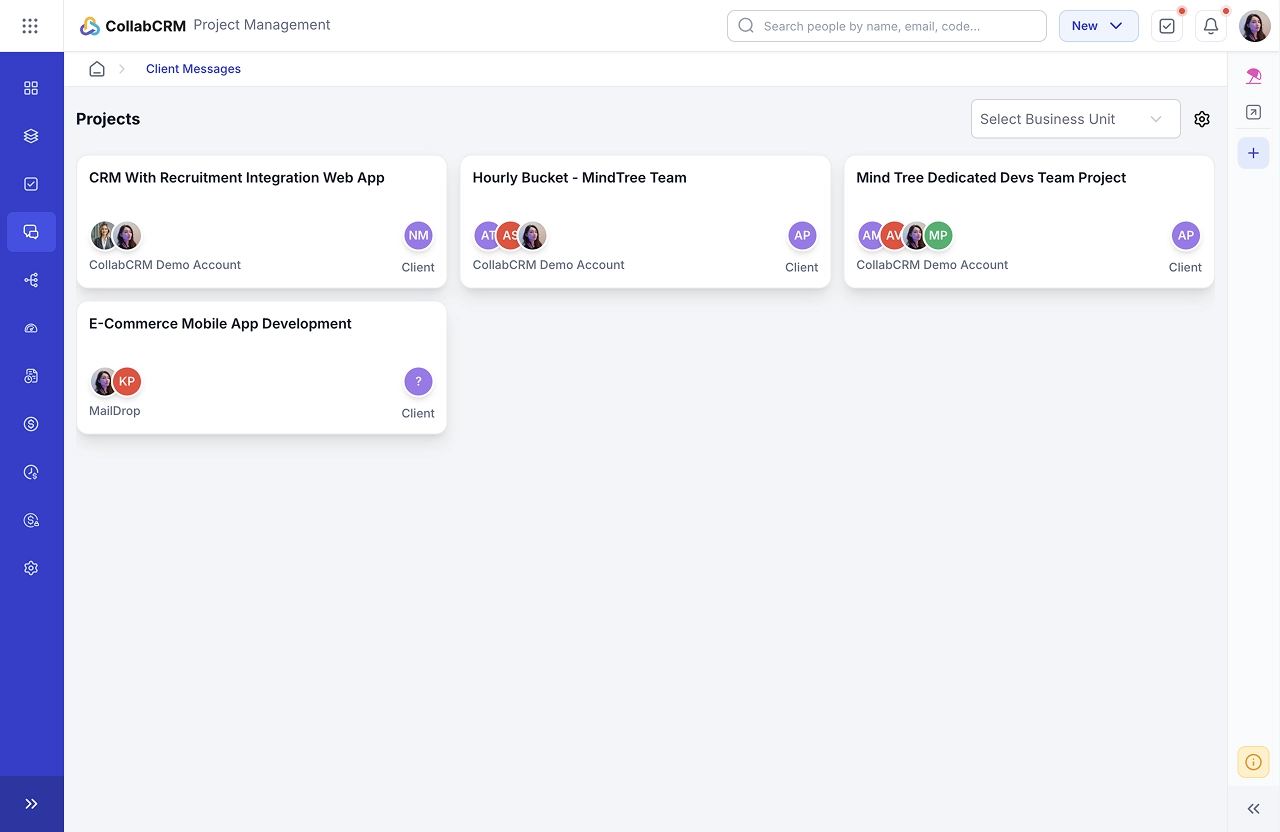
- To communicate with the clients on-on-one or in group chat, your resources can go to the Client Messages tab.
- Here they can select the message board they want to take part in and communicate with the clients.
Best Practices for Managing a Client Communication Portal
Running a client communication portal well is just as important as setting one up. If the portal is cluttered, outdated, or confusing, clients will stop using it and go back to sending emails. These five practices will help you keep the portal useful, professional, and easy to navigate.
1. Avoid Information Overload
Do not show clients everything. Share only what is relevant to their project. A client does not need to see every internal task, every team discussion, or every log entry. Too much information creates confusion and raises unnecessary questions. Show progress, milestones, documents, and invoices. Keep everything else internal.
2. Keep Dashboards Simple
A clean dashboard is easier to read and faster to understand. Use clear labels, logical sections, and a layout that a client can navigate without training. For example, a software development client should be able to open their dashboard and immediately see what is in progress, what is completed, and what is due next.
3. Standardize Reporting Formats
Every client should receive updates in the same format. When reporting looks different from one week to the next, clients lose confidence in your process. Decide on a standard structure for project reports, timesheet summaries, and invoice updates, and stick to it across all client accounts.
4. Update Project Data Regularly
A portal with outdated information is worse than no portal at all. Clients will notice when task statuses have not moved in days or when milestones are past their due date with no update. Assign a team member to review and refresh portal data at least twice a week.
5. Use a Clear Ownership Structure
Every task and every project section should have a named owner. Clients should be able to see who is responsible for what. This removes ambiguity, builds accountability, and gives clients a clear point of contact when they have a question about a specific deliverable.
Conclusion
Managing client communication across emails, chat tools, and spreadsheets creates confusion for both your team and your clients. CollabCRM brings everything into one place.
Projects, timesheets, proposals, documents, invoices, and follow-ups all live inside a single platform that your clients can access anytime. The result is fewer status calls, fewer billing disputes, and stronger client relationships built on transparency and trust.
Whether you run a small IT consulting firm or a large software development company, CollabCRM gives you the structure to communicate professionally at every stage of the client journey.

FAQs:
A communication portal is a centralized platform where businesses, teams, and clients can securely share messages, files, updates, and project information in one place.
CollabCRM is built for IT businesses of all sizes. A small IT consulting firm with five clients benefits just as much as a large software development company managing fifty. The platform scales with your business. You can start with basic project visibility and billing, and add proposal tracking, timesheet sharing, and resource management as your client base grows.
A communication portal should include secure messaging, file sharing, task tracking, access control, notifications, and real-time collaboration tools.
CollabCRM helps teams and clients communicate through a centralized portal with shared updates, file sharing, task discussions, and real-time collaboration tools.




 Priority Onboarding