

Every project generates data. Very few teams turn that data into clarity.
Tasks get completed, hours get logged, budgets get approved, but without a clear view, project managers are left reacting instead of leading. This is where a project dashboard changes the game.
A project dashboard brings together timelines, workloads, costs, and risks into a single visual view. It shows what’s moving, what’s stuck, and what needs attention, without digging through reports or sitting through endless status calls.
For project managers, it means control and predictability. For IT leaders and decision-makers, it means confidence in where time, money, and people are being spent.
As organizations invest in project management software, dashboards are no longer just reporting tools. They are decision tools.
This guide explains what a project dashboard is, why it matters for modern teams, the different types available, and what to look for before choosing project management software.
TL;DR: Project Dashboard Snippet
- Project dashboards: A real-time snapshot of project health, progress & performance
- Why dashboards matter: real-time visibility over timelines, budgets, and risks
- Value for project managers: control, accountability, and data-backed decisions
- Value for teams: clearer priorities, balanced workloads, and better collaboration
- Dashboard types: from strategic and operational to budget and risk views
- Must-have dashboard features: resources, finances, workflows, and unified intelligence
- Real-world dashboard examples: portfolio, status, budget, risk, and workload views
- Smarter dashboards with CollabCRM: one place to manage projects, people, recruitment, sales, and reporting
What is a Project Dashboard?
A project dashboard is a visual summary of key project information displayed in one place.
It brings together data from tasks, project timelines, resources, budgets, and risks, then presents it using charts, indicators, and status views. Instead of reviewing multiple reports, project managers can understand project health at a glance.
A project dashboard quickly answers:
- Is the project on track?
- Are we within budget?
- Where are delays or risks?
- How are resources being used?
Because dashboards update in real time, they act as a reliable snapshot of current project performance. Terms like project management dashboard and dashboard for project management refer to this same centralized view.
Importance of Dashboard for Project Management
Projects generate constant data. Dashboards turn that data into clarity.
A dashboard for project management creates a single source of truth, replacing manual updates and fragmented reporting. It helps project managers stay in control and enables leaders to make faster, more informed decisions.
By highlighting risks, progress, and performance early, project dashboards help teams stay aligned and deliver projects more predictably.
Benefits of Using a Project Management Dashboard
A project management dashboard does more than show data. It helps teams act on it.
By bringing project information into one view, dashboards reduce confusion, improve focus, and support better decisions across roles. The benefits differ slightly for project managers and team members, but both gain clarity and control.
| Benefits for Project Managers (PMs) | Benefits for Team Members |
| Operational Visibility PMs get a real-time view of project status, with timelines, dependencies, and risks clearly visible, without relying on manual updates or reports. Workload Distribution Dashboards show who is overallocated and who has capacity. This makes it easier to balance workloads and prevent burnout before it impacts delivery. Revenue Leak Detection Budget & effort tracking help identify scope creep, unbilled work, and cost overruns early, before they affect margins. Accountability Clear ownership of tasks and milestones improves responsibility. Everyone knows what they own and what’s pending. Data-Driven Decision Making Real-time data helps project managers prioritize tasks or issues, adjust plans, and make informed decisions. | Increased Productivity Teams spend less time on status updates and more time on actual work. Priorities are clear and visible. Better Team Collaboration Shared dashboards keep everyone aligned. Dependencies, progress, and blockers are visible across teams. Operational Visibility Team members understand how their work fits into the bigger picture, reducing rework and confusion. Accountability Clear task ownership and deadlines encourage responsibility and follow-through. Workload Distribution Dashboards help teams see capacity and avoid last-minute overloads or uneven task allocation with workforce planning. |
Types of Project Dashboard
The varied types of project dashboards include strategic, operational, analytical, portfolio, resource utilization, budget, timeline, agile, and risk management dashboards. Each one is designed to support a specific project decision.
Different projects need different views. Each type of project dashboard focuses on a specific decision-making need.
Strategic Dashboards
High-level dashboards that track goals, outcomes, and overall project performance for leadership.
Operational Dashboards
Day-to-day dashboards that monitor tasks, progress, and execution status in real time.
Analytical Dashboards
Dashboards designed to analyze trends, performance patterns, and historical project data.
Project Portfolio Dashboard
A consolidated view of multiple projects to track priorities, risks, and overall portfolio health.
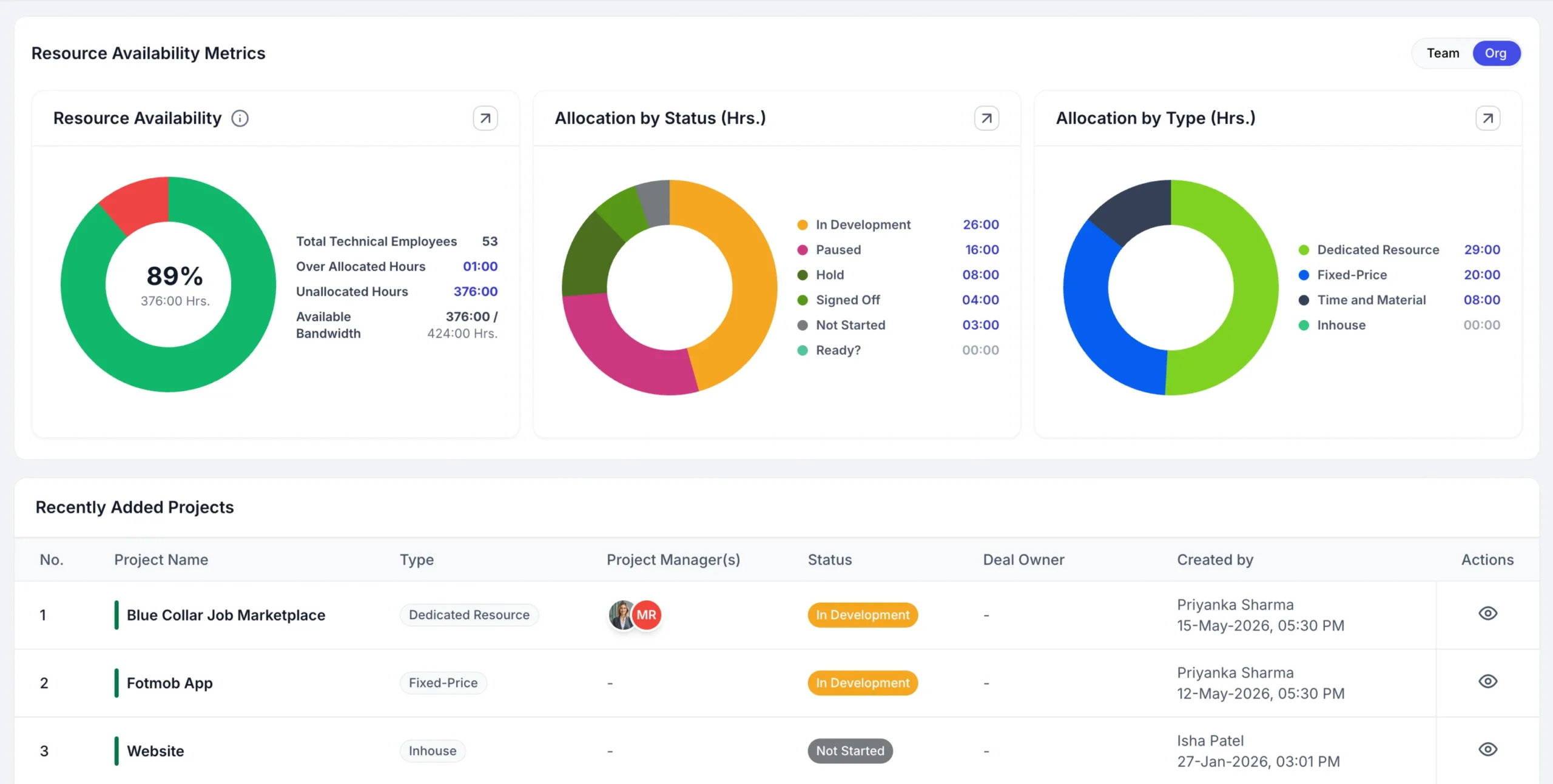
Resource Utilization Dashboard
Shows how team capacity is allocated across projects, helping prevent overuse or underuse.
Project Budget Dashboard
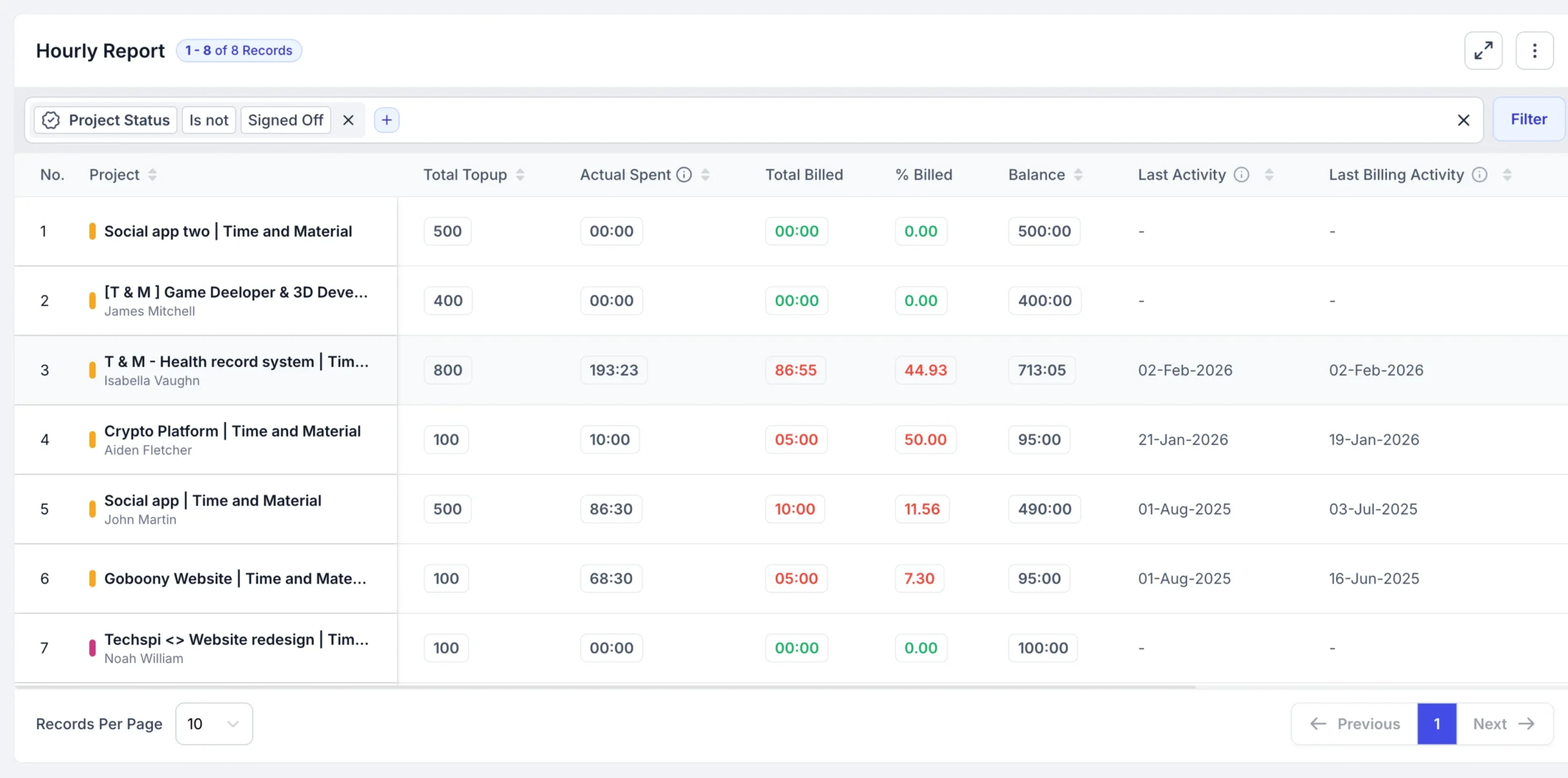
Tracks costs, billable vs non-billable work, and potential project budget overruns.
Project Timeline / Milestone Dashboard
Visualizes schedules, milestones, and dependencies to identify delays early.
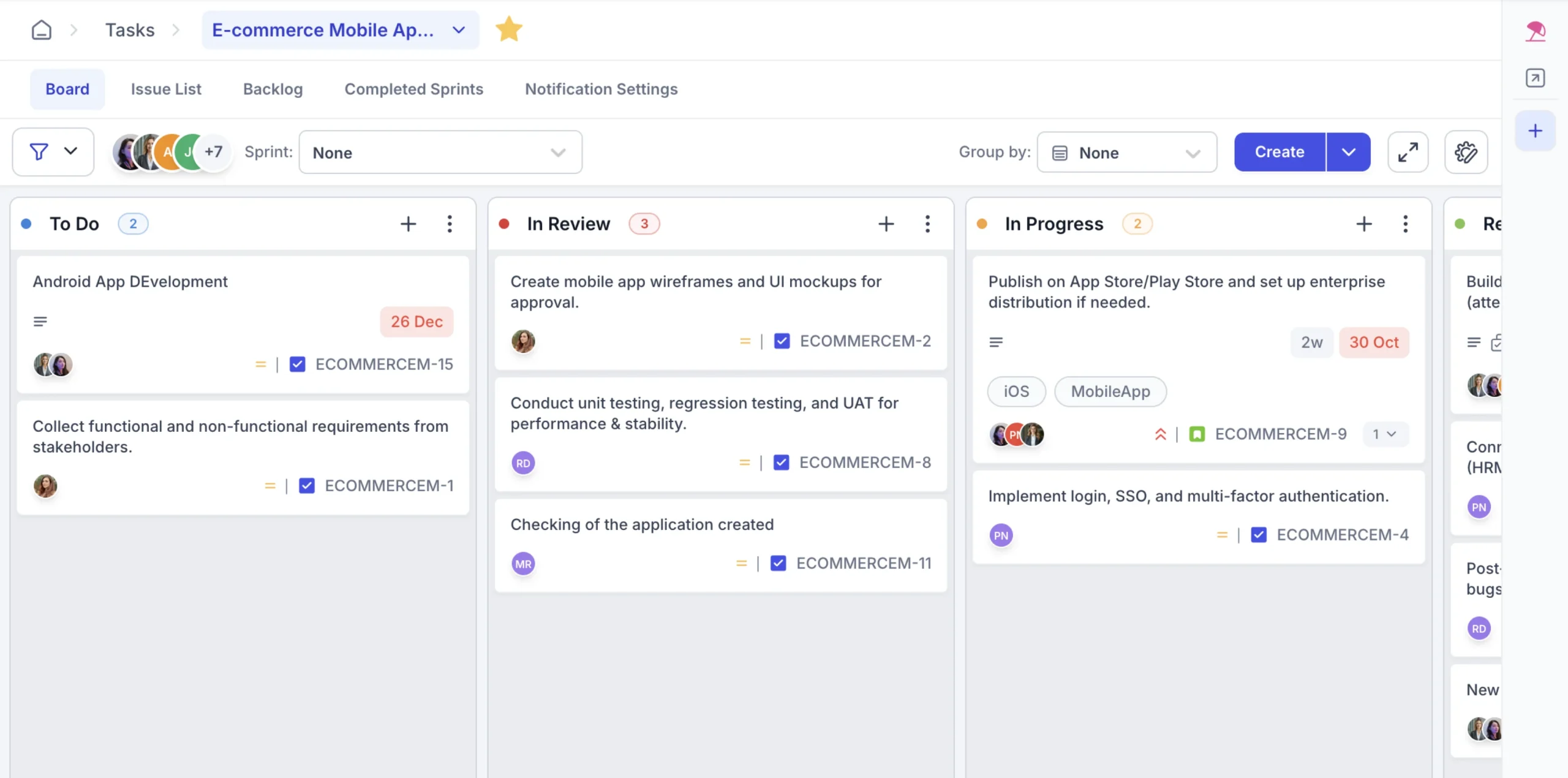
Agile / Kanban Dashboard
Displays work-in-progress, flow, and sprint progress using boards and agile metrics.
Risk Management Dashboard
Highlights risks, their impact, and mitigation status to support proactive risk control.
Key Features of a Project Dashboard
A project dashboard should bring together resources, finances, workflows, and project knowledge into one actionable, real-time view.
Here are the key features to look for when evaluating a project management dashboard.
Unified Resource Management
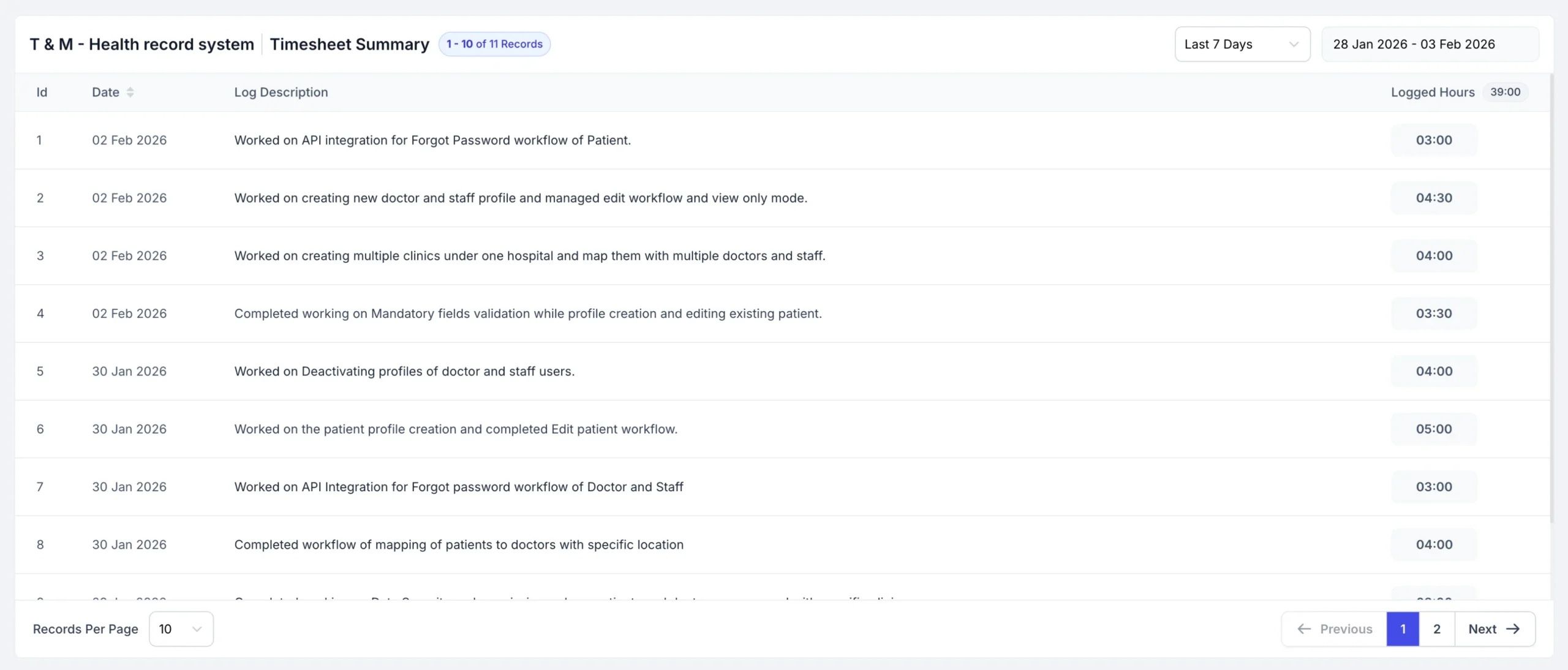
Track team availability, assignments, and utilization across projects. This helps managers balance workloads and plan capacity based on real availability, not assumptions.
Financial & Budget Tracking
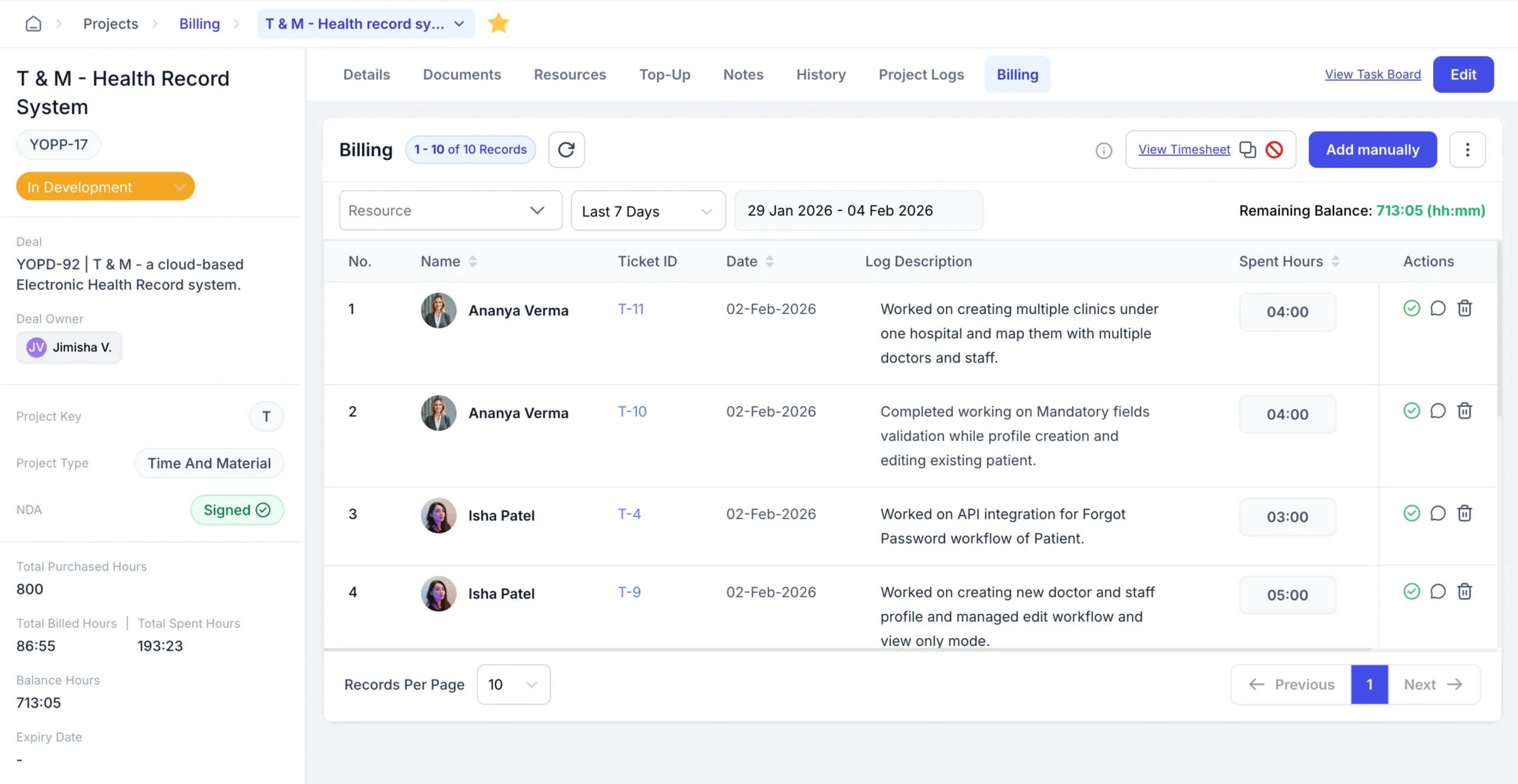
Monitor project budgets, costs, billable hours, and revenue in real time. This makes it easier to spot overruns, scope creep, and potential revenue leaks early.
Automated Sales-to-Service Handoff
Seamlessly move projects from sales to delivery with full context. Scope, timelines, and client expectations carry over without manual rework or data loss.
Visual Workflow Management
Use timelines, boards, and progress views to track work visually. Teams can quickly see task status, dependencies, and bottlenecks.
Client Transparency Portal
Give clients controlled access to project updates, timelines, and deliverables. This reduces follow-ups and builds trust through transparency.
Central Knowledge Hub
Centralize tasks, employee data & documents, reports, recruitment, and project data in one place. Everyone works from the same information, improving alignment and accountability.
Project Dashboard Examples
Project dashboards can be tailored to different use cases. Below are common project dashboard examples that help teams monitor performance, risks, and execution effectively.
Portfolio Dashboards
Portfolio dashboards provide a consolidated view of multiple projects. They help leaders track overall progress, priorities, resource allocation, and risks across the entire project portfolio.
Status Dashboards
Status dashboards show the current health of a project. They highlight progress, upcoming milestones, delays, and blockers, making it easy to share updates with stakeholders.
Budget Dashboards
Budget dashboards track planned vs actual costs, billable hours, and spend trends. They help project managers control budgets and prevent cost overruns.
Risk Dashboards
Risk dashboards identify potential issues, their impact, and mitigation status. This enables proactive risk management instead of last-minute firefighting.
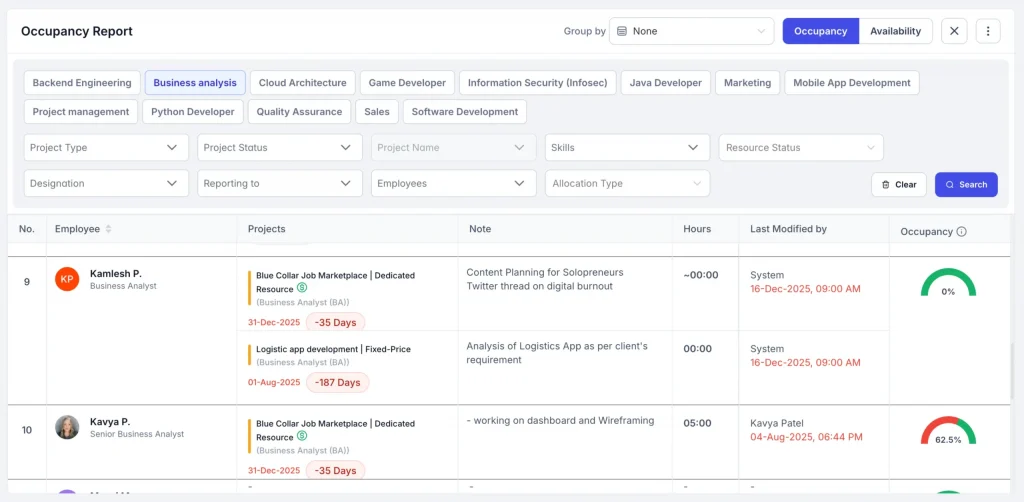
Team Workload Dashboards
Team workload dashboards show how work is distributed across team members. They help balance capacity, avoid burnout, and improve delivery timelines.
Wrap Up
Project dashboards turn scattered project data into clear, actionable insights.
They give project managers real-time visibility into timelines, budgets, resources, and risks, while helping leaders make faster, more confident decisions. Instead of reacting to problems, teams can spot issues early and stay aligned.
For growing teams and IT-driven organizations, a strong project management dashboard isn’t optional. It’s essential for predictable delivery, accountability, and control.
Power Smarter Project Dashboards with CollabCRM
CollabCRM brings projects, people, recruitment, and reporting into an all-in-one dashboard.
With real-time visibility across resources, project timelines, and revenue loss risks, teams can manage work proactively, not reactively. CollabCRM dashboards are built to support both execution and decision-making, helping project managers stay in control while giving leaders the insights they need to scale with confidence.
FAQs
Teams should adopt a project dashboard once projects involve multiple stakeholders, shared resources, or budget accountability. At this stage, manual tracking no longer scales.
By surfacing delays, budget overruns, and resource overload early, dashboards help teams act before small issues turn into major risks.
Yes. Executives and business leaders use project dashboards to track outcomes, costs, and delivery confidence without getting into task-level details.
In modern tools, dashboards update automatically as work progresses, ensuring decisions are based on current data, not outdated reports.
For routine updates, yes. Dashboards provide a shared, always-available view, reducing the need for frequent status calls and manual reports.
Dashboards should adapt to roles. Project managers need operational views, while leaders need high-level insights focused on risk, cost, and progress.
Tracking too many metrics. Effective dashboards focus only on indicators that drive decisions and action.
They standardize visibility across projects, making it easier to manage growth, allocate resources, and maintain delivery quality as teams scale.
CollabCRM improves visibility by acting as a Business Operating System that unifies CRM data with project delivery, employee, recruitment & reporting. It provides real-time clarity through the Resource Allocation Map to prevent burnout, Purchased vs. Consumed hours to track profitability, and Public Links for instant client transparency.





 Priority Onboarding